Contents
Short answer: Upselling on Shopify means offering a shopper a better version of what they already want. Cross-selling means offering something that goes with it. Both happen in six places: the product page, the cart drawer, the checkout, the post-purchase page, the thank-you and order status pages, and email. Checkout-step offers require Shopify Plus. Everything else works on standard plans.
Key Takeaways
- Upselling upgrades the product. Cross-selling adds a companion product. Bundles are a packaging format, not a third category.
- Shopify has six upsell surfaces, each with different shopper intent, platform rules, and economics.
- Checkout-step offers require Shopify Plus. Thank-you and order status offers work on every plan except Shopify Starter.
- Post-purchase offers are suppressed for wallet payments, gift cards, local delivery, and orders under $0.50.
- Only one app can occupy the post-purchase page. A second app forces a choice, not more coverage.
- Shopify auto-generates related products. Complementary products must be set manually in the free Search and Discovery app.
- Gross AOV overstates upsell performance. Measure incremental AOV against a holdout group of 10 to 20 percent.
- Choose a targeting model by catalog size and order volume, not by which one sounds most advanced.
Upselling on Shopify means offering a shopper a better version of what they already want. Cross-selling means offering something that goes with it. Both raise average order value, and on Shopify both happen in six specific places: the product page, the cart drawer, the checkout, the post-purchase page, the thank-you and order status pages, and email.
That is the whole map. What separates stores that make money from this and stores that just add clutter is knowing which placement suits which offer, what your Shopify plan permits, and how to tell a real gain from a number your dashboard flatters you with.
This playbook covers all three.
Upsell vs. Cross-Sell: The Difference in One Table
| Upsell | Cross-Sell | |
| What changes | The same need, met better | An additional, related need |
| Effect on the cart | Raises the value of one line item | Adds a new line item |
| Classic example | 500ml bottle to 1L bottle | Running shoes to running socks |
| Shopper reaction | Expected; shoppers assume a better tier exists | Often a pleasant surprise |
| Best moment | Before the choice is locked in | After the choice is locked in |
| Strongest placements | Product page, cart drawer | Cart drawer, checkout, post-purchase, email |
| Main risk | Price shock stalls the decision | Clutter and distraction |
| Margin effect | Usually improves margin per order | Depends entirely on the attached item |
The sequencing rule: upsell before the decision, cross-sell after it
The sequencing rule follows from the last two rows of that table.
Once a shopper has chosen a specific product, showing them a pricier alternative reopens a question they had already closed. That is friction. Showing them something that goes with the choice they just made is confirmation. It is why the cart drawer converts cross-sells well and upsells poorly, and why the product page is the reverse.
Hold onto that sentence. It explains most of the placement decisions in the rest of this guide.
Where do bundles fit?
Bundles are not a third category. A bundle is a packaging format that can carry either mechanic. A “frequently bought together” set is a cross-sell in bundle clothing. A “buy 3, save 15%” tier is a volume upsell wearing the same outfit.
That distinction matters when you go shopping for tools, because bundle apps and recommendation apps solve genuinely different problems and are frequently sold as if they solve the same one. There is a full section on bundle formats and their technical limits further down.
What Upselling Actually Solves (and What It Can’t)
Paid acquisition costs what it costs. You do not control auction prices, and you do not control what competitors are willing to bid. You do control how much revenue you extract from traffic you have already paid for.
That is the economic case, and it is a good one. It also comes with a constraint most guides skip.
Roughly seven in ten carts are abandoned. Baymard Institute puts the figure at 70.22 percent, averaged across 50 separate studies. Their survey work also found that 42 percent of US online shoppers have abandoned a cart simply because they were browsing rather than ready to buy. Almost none of the leading abandonment causes, including shipping costs, delivery speed, and forced account creation, are things an upsell can fix.
That is the boundary of what this playbook can do for you. Upsells do not operate on the 70 percent who leave. They operate on the 30 percent who stay.
Offers before payment are a trade; offers after payment are not
Every offer placed before payment is a trade. You risk a small amount of conversion among shoppers who would have bought anyway, in exchange for larger orders from the ones who accept.
Usually the trade is worth making. But it is a trade, and it explains the most common upsell failure. Not a bad offer, but a good offer placed where it interrupts a decision that was already going your way.
Two consequences follow:
- Offers placed after payment carry no conversion risk. The order is banked. This is why post-purchase is the most forgiving surface on the platform.
- Offers placed before payment must be judged on order value and conversion together. An 8 percent AOV gain against a 6 percent conversion drop is close to a wash, and can be a loss once margin is counted.
That second point returns in the measurement section, with the arithmetic worked out in full.
What to Configure in Shopify Before You Install Anything
Three of the six placements can be set up natively, for free, in under an hour. Doing this first gives you a baseline to measure any app against, and for stores under roughly 50 orders a month it may be all you need.
Related products
Shopify’s Product Recommendations API generates these automatically from your catalog and order data, and most modern themes ship with a block for them.
Place it below the fold. Above the add-to-cart button, you are competing with your own conversion. Below it, you catch shoppers who are rejecting the current item rather than interrupting shoppers who are buying it.
Complementary products (these do not populate themselves)
This is the single most common cause of an empty “Pair it with” block on a Shopify store.
Shopify’s Product Recommendations API accepts an intent parameter with exactly two values: related and complementary. Omitting it defaults to related. Per Shopify’s documentation, only related recommendations are auto-generated. Complementary recommendations must be set up manually, product by product, through the free Shopify Search and Discovery app.
Merchants reasonably assume “Pair it with” populates itself the way “You may also like” does. It does not.
Manual mapping is perfectly workable at 40 SKUs. At 4,000 it is not, which is the point where a behavior-driven engine starts earning its subscription. Start with your twenty highest-margin products rather than attempting the whole catalog.
A free-shipping threshold
Most modern themes support a progress bar natively, and it does real work in the cart because it answers a question the shopper is already asking themselves.
Set the threshold roughly 25 to 30 percent above your current AOV. High enough that reaching it requires a genuine add-on, low enough that one item gets there. Then price two or three add-ons inside the gap.
What you cannot do natively
- One-click post-purchase offers, where the card is already vaulted
- In-checkout offers on the information, shipping, and payment steps
- Behavioral or purchase-history targeting
- Coordination between placements, so the cart does not re-offer what the product page already got declined
- Placement-level and widget-level revenue reporting
Those five are the reasons to install an app, and they are the only reasons worth paying for. If your store’s search and browse experience is the actual weak point rather than your offer logic, that is a different problem with different tooling, and our roundup of AI-powered Shopify search and discovery apps covers it separately.
The Six Placements: Where Upsells Live on Shopify
The six surfaces differ in shopper intent, in what the platform permits, and in the shape of their returns.
Placement comparison table
| Placement | Shopper intent at this moment | Offers that work here | AOV impact profile | Conversion risk | Plan or technical requirement |
| Product page | Evaluating; choice not yet locked | Tier upgrades, frequently bought together, related products | Highest total volume, most impressions of any surface | Low to moderate | All plans. Theme app blocks or Product Recommendations API |
| Cart drawer / cart page | Decided; reviewing before paying | Complements, small add-ons, free-shipping threshold nudges | High per impression, high intent, low friction | Moderate; clutter can stall checkout | All plans. Theme app embed |
| Checkout steps | Committed; entering payment details | One-tap, low-consideration add-ons matched to the cart | High acceptance rate, capped basket size | Low if minimal, high if intrusive | Shopify Plus only. Checkout UI extensions on the information, shipping, and payment steps |
| Post-purchase page | Paid; card vaulted, order not yet confirmed | One-click upgrades, add-ons, warranties, subscription starts | Highest per-impression value, no re-entry of payment details | None; the order is already placed | All plans, subject to strict payment and order eligibility rules |
| Thank-you and order status pages | Post-transaction; anticipating delivery | Discovery, next-order codes, reorder prompts, loyalty sign-ups | Low ceiling, zero downside | None | All plans except Shopify Starter |
| Email / post-purchase flows | Away from the site; delayed intent | Replenishment, complements, next-tier upgrades | Compounds over time rather than same session | None to the current order | All plans. Requires an ESP integration |
About the AOV impact column. These are directional profiles based on where each placement sits relative to the payment decision. They are not measured benchmarks. Any specific percentage quoted anywhere as an “average upsell AOV lift” is almost always unsourced or drawn from a single vendor’s customer base. The measurement section explains how to generate a real number for your own store.
1. Product page
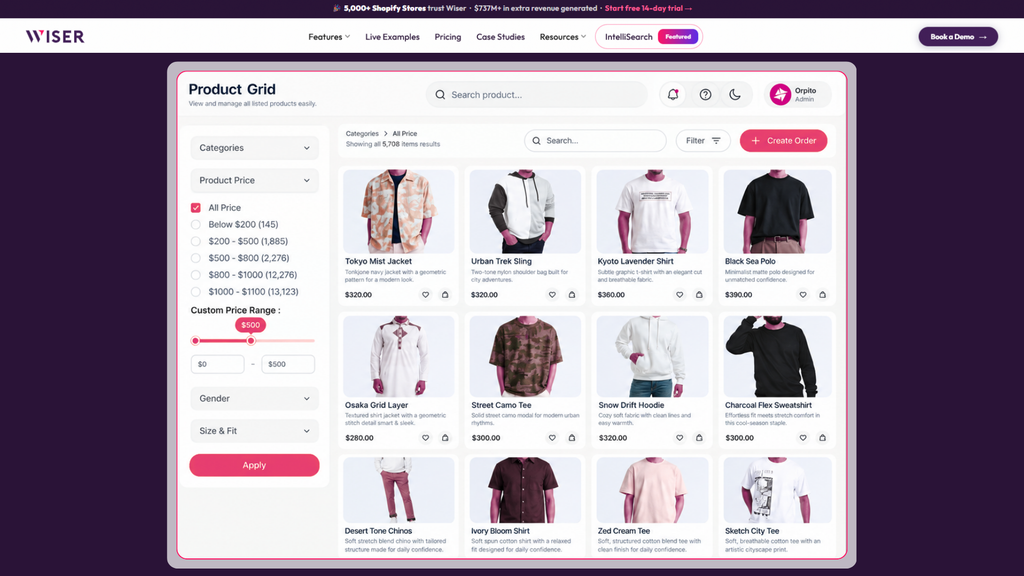
The product page carries more upsell impressions than every other surface combined, because most shoppers view several and buy from one. Volume is its advantage.
It is also the only surface where a true upsell is welcome. The shopper has not committed. Showing them a larger size, a longer-lasting model, or a multipack answers a question they are actively asking.
Shopify’s own recommendation infrastructure lives here. The Product Recommendations API accepts an intent parameter with exactly two values: related and complementary. Omitting it defaults to related.
The distinction matters more than the syntax. Per Shopify’s documentation, only related recommendations are auto-generated by Shopify. Complementary recommendations must be set up manually, product by product, through the free Shopify Search & Discovery app.
Merchants assume “Pair it with” populates itself the way “You may also like” does. It does not. If your complementary blocks are empty, that is why.
Manual mapping is workable at 40 SKUs. At 4,000 it is not, which is where a behavior-driven engine earns its keep. Wiser’s frequently bought together widget derives pairings from actual order history rather than requiring a merchandiser to define every relationship by hand.
What works here:
- A tier upgrade beside the add-to-cart button, stating the price difference rather than the full price
- A frequently bought together set with one add-all button and a visible combined total
- Related products below the fold, catching shoppers who are rejecting the current item rather than interrupting shoppers who are buying it
What does not:
- A grid of twelve loosely related products. More options at the point of decision slows decisions down.
- Recommendations above the add-to-cart button. You are competing with your own conversion.
2. Cart drawer and cart page
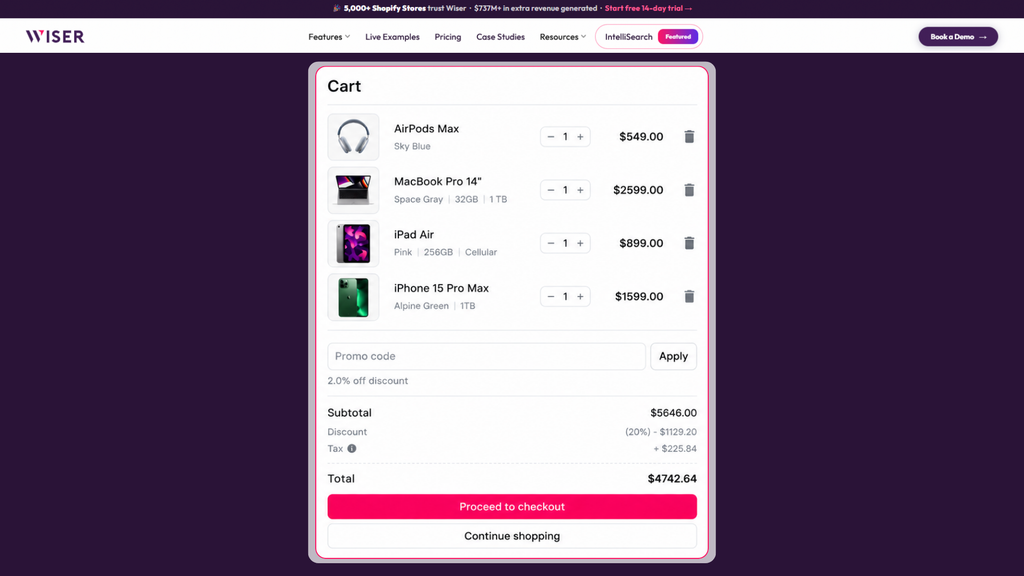
Intent peaks here. The shopper has chosen and is doing arithmetic: checking the total, checking shipping, deciding whether to proceed.
That arithmetic is your opening. A free-shipping progress bar showing $12 remaining, paired with add-ons priced between $12 and $18, works because it answers a question already in the shopper’s head.
Cross-sells belong here. Upsells mostly do not. Swapping the item they just chose for a pricier one reopens a settled decision at the worst possible moment.
Keep it to two or three suggestions. The drawer is small, usually viewed on a phone, and every pixel spent on recommendations is a pixel not spent on the checkout button.
Wiser’s cart drawer and cart upsell module updates suggestions as cart contents change, so a shopper who adds the recommended item sees a different follow-on rather than the same block again. For layout patterns that work, we broke down ten Shopify cart drawer upsell examples.
3. Checkout steps (Shopify Plus only)
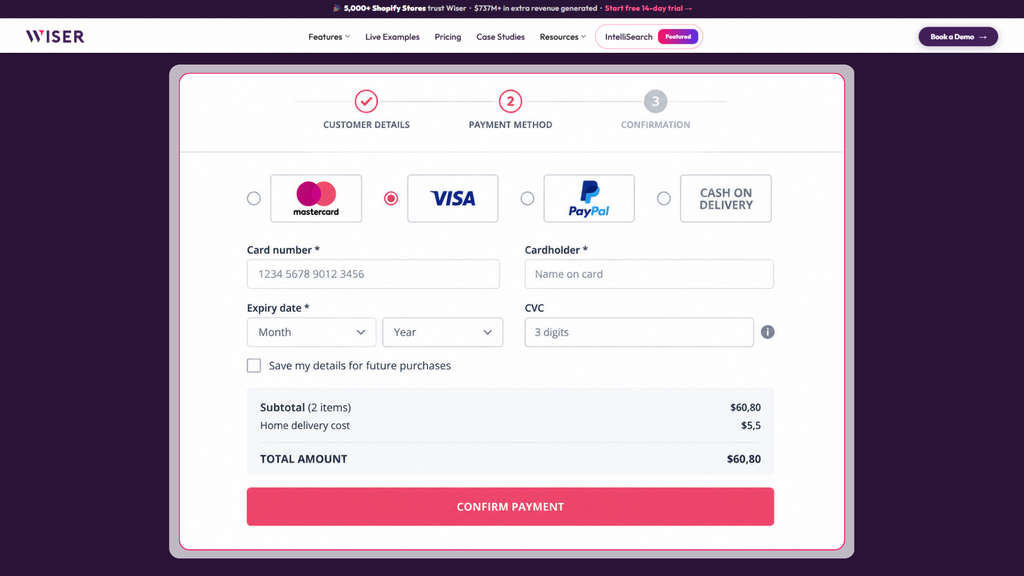
This is the gated surface, and precision about the gate matters.
Per Shopify’s developer documentation, checkout UI extensions on the information, shipping, and payment steps are available only to stores on a Shopify Plus plan. Extensions that appear after purchase completes, on the thank-you and order status pages, are available on all plans except Shopify Starter.
So “checkout upsell” means two different things depending on who is saying it. In-checkout offers are Plus. Post-checkout offers are not. App marketing that blurs the two is worth reading twice.
On Plus, this surface performs because the shopper has entered payment details and is seconds from completion. What they will accept is narrow: low consideration, obviously relevant, one tap.
Gift wrap. A matching accessory under $25. Expedited shipping. An extended warranty.
Not a $200 alternative to the item they are buying. The checkout is the most conversion-sensitive page you own, and the one page where an aggressive offer can cost an order that was already won.
One useful constraint from the documentation: merchants can add up to three extensions to the same block target location in the checkout and accounts editor. That is a ceiling, not a target. Three apps stacked in one slot is how a clean checkout becomes a wall.
Our Shopify checkout upsell best practices go deeper on offer selection, and Wiser’s checkout upsell runs through Shopify’s native extensibility rather than injected scripts.
4. Post-purchase page: best surface, most fine print
The post-purchase page appears after the order is confirmed but before the thank-you page. The card is already vaulted, so the customer can accept an additional item with one click and no re-entry of payment details.
No conversion risk. No friction. The strongest upsell surface Shopify offers.
It also carries the longest list of conditions. From Shopify’s product offers documentation, post-purchase offers will not appear when:
| Condition | Detail |
| Wallet or installment payment | Klarna, Affirm, Afterpay, Apple Pay, Amazon Pay, and Google Pay all suppress the page |
| Non-card payment | Gift cards, or any payment method other than a credit card |
| Certain payment providers | Providers that require the CVN or CVV to be retained are unsupported |
| Local delivery | Orders for local delivery do not surface offers |
| Duties and multiple currencies | Orders carrying both are excluded |
| Order value | Orders must be $0.50 or more |
| Sales channel | Orders must be placed through the Online Store channel |
| Offer cap | A customer can accept a maximum of three post-purchase offers per checkout |
| App exclusivity | Only one app can be selected for post-purchase offers. Merchants with two installed must pick one in checkout settings |
Shopify updates this list periodically, so confirm it against the current product offers documentation before you build a forecast on it.
Two of these conditions change how you plan.
The wallet exclusion is the big one. If a meaningful share of your orders arrive through the accelerated wallets and installment providers listed above, your post-purchase page will not render for those customers at all. Before evaluating any post-purchase app, pull your payment method breakdown from Shopify admin and work out what percentage of orders are actually eligible. A store where 60 percent of orders are wallet payments has a far smaller opportunity than the app’s marketing implies, and it is much better to know that before signing up than after.
The one-app rule ends the “install several and see” approach. A second post-purchase app does not expand coverage. It forces a choice.
Two operational details are worth flagging to whoever handles fulfillment. Shopify places a hold on fulfillment for every order in a post-purchase flow, and if the customer abandons the flow, the hold lifts one hour after checkout submission. Separately, post-purchase checkout extensions have run as a beta capability, usable without restriction on development stores while live stores request access, so confirm current availability with your app vendor.
Wiser’s post-purchase upsell recommendations run on this surface. For offer design rather than eligibility rules, see how to structure a post-purchase offer, and for real examples with revenue attached, five post-purchase upsell examples.
5. Thank-you and order status pages
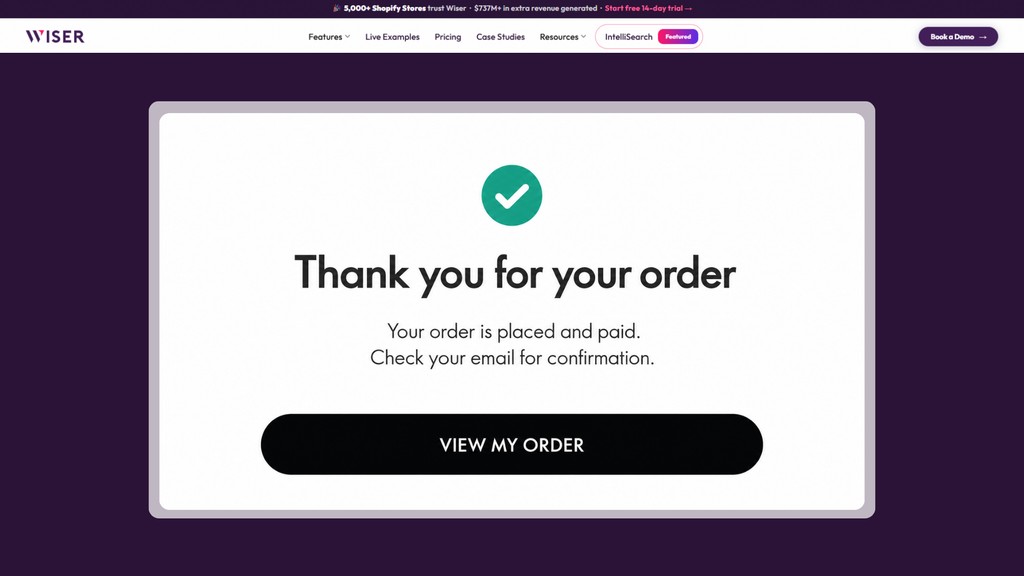
Two different pages, commonly confused. Per Shopify’s Help Center, the thank-you page is a one-time confirmation screen the customer cannot return to. If they try, they see the order status page instead. The order status page is the one they revisit, usually through the link in the order confirmation email, to track the order.
That difference should drive different content.
The thank-you page is seen once, immediately, while excitement is highest. Good for a next-order discount code, a loyalty sign-up, or a referral prompt.
The order status page gets revisited repeatedly during the waiting period. It is an underused discovery surface, because the customer is checking on something they are looking forward to and is receptive to seeing what else you make.
Neither matches the post-purchase page for revenue per session, because both require a fresh transaction rather than a one-click add. But the downside is zero and the traffic is free.
6. Email and post-purchase flow
The sixth placement is not on your store.
Order confirmations and shipping notifications get opened at rates marketing emails never reach, and both are natural homes for a complementary product block. Replenishment timing works even better. If your consumable lasts about six weeks, a nudge at week five reads as useful rather than promotional.
Email is where cross-selling compounds. It does not raise the AOV of the order in hand. It raises the number of orders. Wiser’s email recommendations generate personalized blocks for Klaviyo, Mailchimp, Omnisend, and any platform that accepts custom HTML.
How to Choose the Offer, Not Just the Placement
Placement decides whether an offer is seen. The offer itself decides whether it is accepted. Most guides stop at the first half. Four rules do the bulk of the work on the second.
The price ratio rule
A cross-sell should cost meaningfully less than the item it attaches to. The reliable band is roughly 20 to 40 percent of the anchor product’s price.
Above about half, the add-on stops reading as an accessory and starts reading as a second purchase decision, which reopens deliberation you had already closed. A $30 case attached to a $120 pair of headphones is an easy yes. A $70 case is a new problem to think about.
The margin rule
Sort candidate offers by contribution margin, not by attach rate.
Your highest-attach cross-sell is frequently your lowest-margin SKU, precisely because cheap add-ons attach easily. A 15 percent AOV lift built on 20 percent margin accessories, with a 10 percent bundle discount funded on top, can be worth less to the business than a 6 percent lift on full-margin tier upgrades.
This is also the constraint an algorithm cannot see on its own, which is the argument for layering merchandising rules over a model rather than choosing between them.
The relevance rule
The offer has to answer a question the shopper is already asking.
Running shoes to running socks works because the shopper knows they need socks. Running shoes to a yoga mat does not, however strong the co-purchase correlation looks in your data. Statistical correlation and shopper relevance are not the same thing, and the gap between them is where recommendation engines produce output that technically fits and obviously does not belong.
The consideration rule for post-payment surfaces
After checkout you have a few seconds of attention and one tap.
Offers that require thought fail here regardless of quality. A size choice, a color choice, a comparison between two options, anything that needs the shopper to weigh something. Reserve those for the product page, where deliberation is expected, and use post-purchase for the single obvious add-on.
Should you discount?
Test at full price first.
A 15 percent bundle discount on two items customers routinely buy together is a price cut with extra steps. You are funding a discount on revenue you were going to earn anyway.
Reserve discounts for offers that genuinely fail without them, and count the discount as a direct cost against the offer in your margin math, not as a marketing expense filed somewhere else.
Four Bundle Formats and When Each Works
Bundles are a packaging format rather than a third mechanic, but the format you pick changes the economics considerably.
Fixed bundles: A preset group sold as one product. Best where the combination is genuinely standard: a starter kit, a skincare routine, a gift set. Simplest to merchandise, simplest inventory logic, weakest personalization.
Mix and match: The shopper builds their own from a defined pool. Best for catalogs with real variety inside a category, and better at raising units per order than price per unit. Higher build cost, higher engagement.
Volume tiers: Buy three, save 15 percent. This is an upsell wearing bundle clothing, and it is the right format for consumables and refills where the only real question is quantity. Watch that the tier discount is not simply subsidizing a purchase the customer was going to make at full price.
Frequently bought together: A cross-sell wearing bundle clothing, derived from actual order history rather than merchandiser judgment. This is the format that scales past a few hundred SKUs, because nobody is hand-mapping four thousand products.
For pricing structures and offer design, see our guide to product bundling strategies for Shopify. For tooling, twelve Shopify bundle apps compared covers which formats each app supports natively.
Cart Transform API limits worth knowing
Technically, bundles on Shopify are often built on the Cart Transform API, which lets an app expand a bundle product into its component lines, merge separate lines into one bundle line, or change how a line is presented.
Three documented limits are worth knowing before you plan around it:
- Shopify rejects expand, merge, and update operations when a selling plan is present, which matters if you sell subscriptions.
- Line update operations are restricted to development stores and Shopify Plus.
- You can install a maximum of one cart transform function per app on each store.
Confirm these against Shopify’s current developer documentation before committing to an architecture, since this API surface has changed more than once.
Manual, Rules-Based, or AI: Choosing a Targeting Model
Every upsell tool picks products in one of three ways. The right one depends on catalog size and order volume, not on which sounds most advanced.
| Manual | Rules-based | AI / behavioral | |
| How it picks | A person selects pairings | Conditional logic on tags, collections, price, cart contents | Models trained on purchase and browsing behavior |
| Setup effort | High, and recurring | Moderate, mostly one-time | Low |
| Maintenance | Grows with every new SKU | Rules need periodic review | Self-updating |
| Cold start | None; works day one | None | Needs order history to be useful |
| Best catalog size | Under about 100 SKUs | 100 to 1,000 SKUs | 500+ SKUs |
| Best order volume | Any | Any | Meaningful volume required |
| Failure mode | Goes stale, silently | Rules conflict or over-trigger | Generic output while data accumulates |
| Strongest use | Hero products, curated sets | Category logic, margin protection | Personalization at scale |
Where each one wins
Manual is undervalued: If you sell 30 products and know your customers, hand-picked pairings beat an under-trained model. Merchandising judgment is real information. A founder who knows the navy sweater sells with the cream scarf holds a fact no algorithm has observed yet.
Rules-based is the workhorse for mid-size catalogs, and the only model that lets you encode constraints an algorithm cannot see. Never recommend below 40 percent margin. Never cross-sell from clearance. Never suggest an out-of-stock size.
AI wins on scale, and on pairings nobody would think to define. It needs data to do it. A store at 40 orders a month has not produced enough signal for a collaborative filter to beat a thoughtful rule set, and any vendor claiming otherwise is selling a story.
What the research says
Two randomized field experiments are worth knowing, because they are among the few sources in this category with inspectable methodology.
Lee and Hosanagar (2021), Management Science 67(1):524 to 546, ran a randomized field experiment at a top North American retailer with 184,375 users split into recommender-treated and control groups, tagging attributes for 37,125 products. The purchase-based collaborative filtering recommender increased product views by 15.3 percent, conversion conditional on views by 21.6 percent, and final conversion by 7.5 percent.
The awareness effect exceeds the closing effect. Recommenders are better at getting products seen than at getting seen products bought. Effects also varied by product type: view lift was larger for utilitarian and experience products, while conversion-given-view lift was larger for hedonic products.
Lee and Hosanagar (2019), Information Systems Research 30(1):239 to 259, used a randomized field experiment across 82,290 products and 1,138,238 users. Two findings translate directly into buying criteria:
- Collaborative filters built on purchase data produced a greater effect than those built on product views. When evaluating an engine, ask what it trains on.
- Recommenders reduced aggregate sales diversity. Niche items gained in absolute sales but lost market share to popular items.
The second finding is a real caution for anyone with a long tail. A recommendation engine left entirely to itself concentrates demand on what already sells. If moving slower inventory is part of your plan, you need merchandising rules layered over the model rather than instead of it.
That is the argument for hybrid targeting, and why Wiser supports rule sets alongside its AI engine rather than treating them as alternatives.
Segmenting Offers by Customer Type
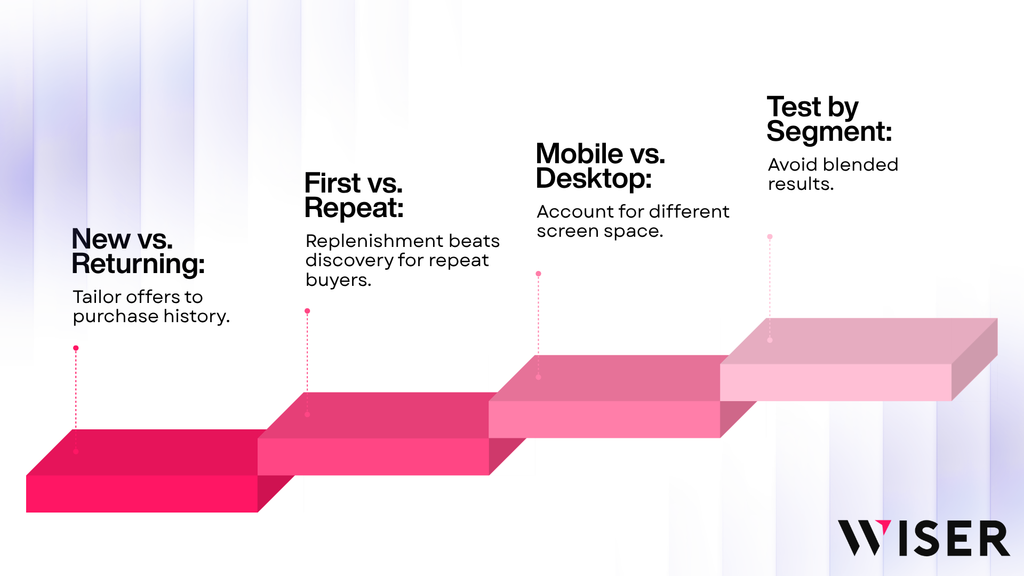
Running one offer for everyone is the default, and it is where the easiest remaining gains usually sit. Four splits are worth building before anything more sophisticated.
New versus returning: New visitors have no purchase history, so their recommendations are effectively rules-based no matter what engine you run. Returning customers should never see a cross-sell for something they already own, which is the fastest way to make personalization look broken.
First order versus repeat order: Repeat buyers of consumables are the strongest replenishment audience you have and the weakest audience for discovery offers. They know what they want. Offer quantity, not variety.
High intent versus browsing: A shopper who searched, filtered, and landed on an exact match has told you far more than one who arrived cold on a collection page. Weight the aggressiveness of your offers accordingly.
Mobile versus desktop: This is not a preference difference. It is a space difference, and it gets its own section below.
Segment your test results the same way you segment your offers. New and returning customers respond differently enough that blending them into one readout hides both effects.
Mobile Execution
Most Shopify traffic is mobile. Most upsell layouts are designed on a desktop monitor. The cart drawer is where those two facts collide hardest.
The checkout button stays above the fold: This rule outranks every other consideration on this page. Every recommendation you add to a drawer pushes that button down. A three-item carousel that looks tidy at 1440px can push the primary action off-screen on a 375px phone, and you will see it as a conversion drop with no obvious cause.
Two suggestions maximum in a mobile drawer: Three on desktop. Beyond that you are spending the shopper’s screen on discovery at the exact moment they were trying to leave.
Tap targets, not hover states: Any interaction that requires hovering to reveal a price, a variant, or an add button does not exist on a phone.
Test on a real device: A desktop browser’s mobile emulator does not reproduce drawer height, the keyboard overlay, or actual thumb reach. This single check catches more broken upsell implementations than any other.
Where Product Discovery Fits Into All of This
Upselling gets the attention, but it operates on shoppers who already found something. Discovery determines how many shoppers reach that point, and what they are holding when they do.
The connection is practical. A shopper who searched for “merino crew neck,” filtered to their size, and landed on an exact match has told you a great deal about intent. That signal is worth more to a cross-sell engine than a session that arrived cold on a collection page.
Search terms, filter selections, zero-result queries, and click-throughs are all inputs a recommendation model can use, and they are usually the freshest signals available on a first-time visitor with no purchase history. This is why a search tool and a recommendation engine work better wired to the same behavioral data than bolted on separately.
Two failure modes are worth naming:
- Zero-result pages that dead-end. A search returning nothing is a shopper leaving. Populating that page with alternatives is the cheapest cross-sell in the store.
- Filters that do not match how people shop. If customers think in occasions and your filters are organized by fabric, discovery breaks before recommendations get a turn.
If discovery is your weak point rather than your offer logic, we covered that ground in how to improve product discovery on Shopify with AI search and personalization.
Three Platform Migrations That Break Upsells
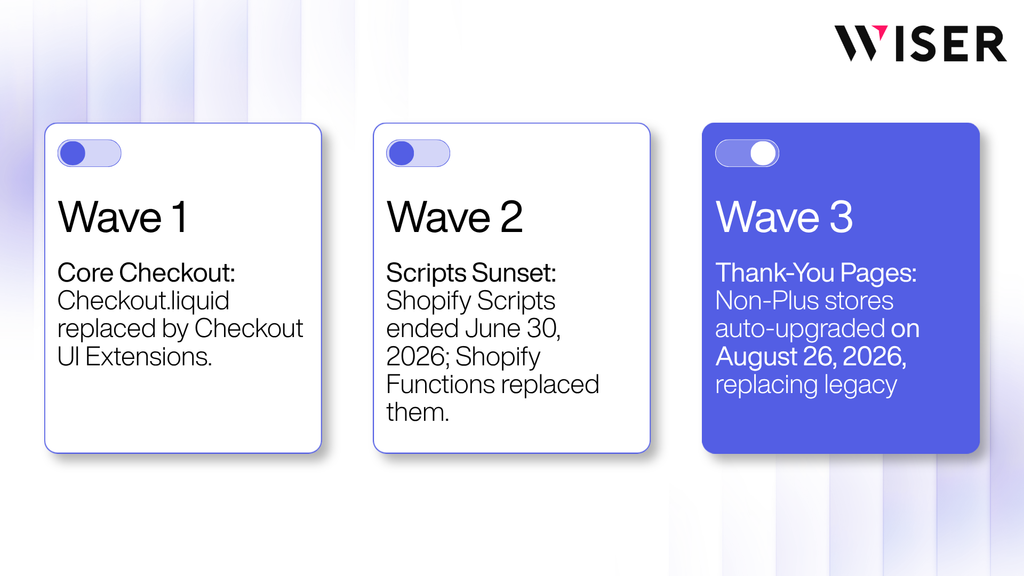
Shopify has retired its legacy checkout system in three separate waves. Merchants routinely merge them into one and then misdiagnose why an upsell stopped working. They are distinct, they hit different stores at different times, and only one of them was ever about the checkout itself.
Wave 1: core checkout pages (August 2024)
The information, shipping, and payment steps moved off checkout.liquid. Anything customizing those three steps now runs on checkout UI extensions, which are Shopify Plus only.
If you are on a non-Plus plan, this wave never applied to you, which is part of why the later ones caught so many stores by surprise.
Wave 2: Shopify Scripts sunset (June 30, 2026)
Shopify Scripts were sunset on June 30, 2026, and any Scripts still published were deactivated. Discount logic, shipping logic, and payment logic that ran on Scripts stopped running on that date.
If tiered bundle pricing or volume discounts on your store failed around the start of July and nobody could explain why, this is the usual cause. The replacement is Shopify Functions.
Wave 3: thank-you and order status pages (August 26, 2026, non-Plus)
August 26, 2026 was the deadline for stores on non-Plus plans, meaning Basic, Grow, and Advanced, to upgrade their existing thank-you and order status pages to the checkout extensibility versions. Plus stores passed their equivalent date on August 28, 2025.
On the deadline, Shopify auto-upgrades any store that has not upgraded manually. Legacy customizations are replaced rather than migrated: anything in the Additional Scripts field, anything injected by a script tag app, and any custom code on those two pages. The upgrade cannot be reverted.
The failure mode here is silent. Nothing on the storefront breaks visibly. Checkout keeps working. What stops is tracking, attribution, and any thank-you page offer that was never rebuilt on checkout extensibility. Stores usually discover it as an unexplained gap in attributed revenue rather than an error message.
What to check now, in two minutes
Go to Settings, then Checkout, in your Shopify admin and look at the Configurations section.
- If you still see an upgrade notice, your store is on the deprecated version and needs manual attention.
- If you no longer see one, your store has been upgraded. That means any thank-you page upsell or conversion tracking that ran on the old system is already off, whether or not anyone noticed. Go straight to the tracking section below.
The replacement path is checkout UI extensions and app blocks for page content, web pixels for tracking, and Shopify Functions for discount and bundle logic. Any app built on current checkout extensibility is unaffected. Anything older is not.
Functions and plan access: the common misreading
There is a widespread misreading of what the Functions migration means for plan access, so here is the documented position.
Stores on any plan can use public App Store apps that contain Functions. Only Plus stores can use custom apps containing Shopify Function APIs, and some individual Function capabilities are Plus-only.
A Basic or Grow store is not locked out of Functions-powered bundling. It is locked out of building its own.
Tracking Upsell Revenue After Checkout Extensibility
Most upsell measurement advice assumes your tracking works. After the migrations above, that is no longer a safe assumption for a large number of stores.
What changed: Tracking on thank-you and order status pages now runs through Shopify’s web pixels rather than script tags or the Additional Scripts field. Anything that ran on the old system was removed during the upgrade rather than moved across.
What this breaks, specifically: Conversion events firing to Google Ads and Meta. GTM containers. Affiliate postbacks. Any custom upsell revenue tracking a developer built for you. Because the storefront shows no error, the first symptom is usually a gap between what your app dashboard reports and what Shopify’s own order data says.
How to verify in ten minutes: Place a test order. Confirm it appears in Shopify admin, then confirm the same order appears in your ad platform’s conversion reporting and in your upsell app’s dashboard. If two of the three agree and one does not, your attribution is broken, and every AOV number you have looked at since the upgrade is off by an unknown margin.
Reconcile before you optimize: Once a quarter, compare your upsell app’s total attributed revenue against Shopify’s own order data for the same window. If app-reported revenue exceeds total store revenue, you have double counting across apps, which is the single most common reason merchants believe an upsell stack is performing better than it is.
Measuring Upsells: Incremental AOV, Not Gross AOV
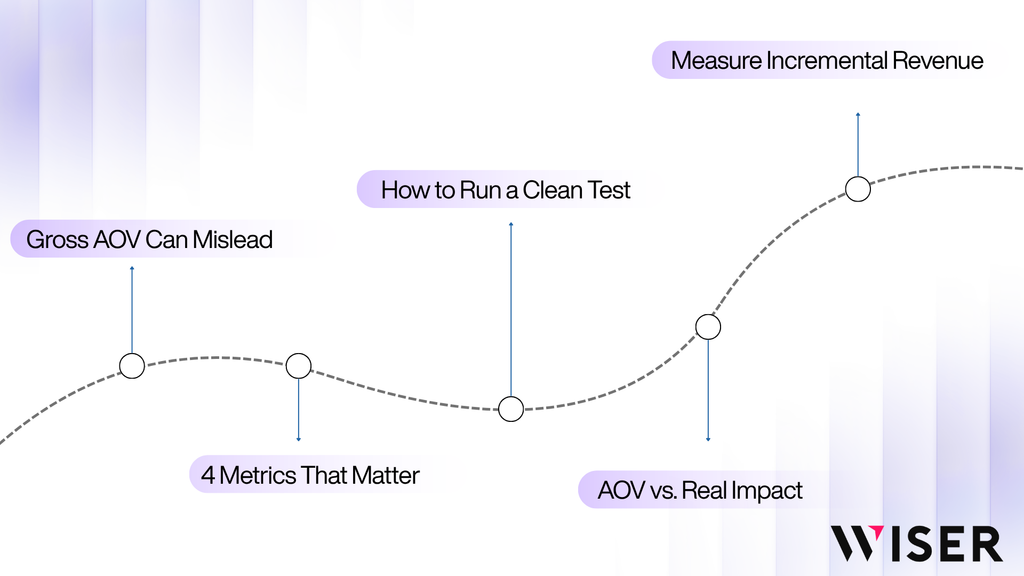
Your upsell app reports revenue. That number is real in the sense that the orders happened. It is misleading in the sense that it does not answer the question you actually care about: how much of that revenue would not have existed without the upsell.
Why gross AOV overstates performance
Selection bias: Shoppers who click recommendations are more engaged than shoppers who do not. They were likely to spend more anyway. Attributing their whole basket to the widget credits it with a decision it did not cause.
Cannibalization: A shopper who would have bought two items across two visits buys both in one. Order value rises. Order count falls. Revenue is flat. Your AOV chart shows a win your P&L does not.
Mix shift: Free-shipping thresholds do real work, but they also pull orders across the threshold that would have converted below it, at a shipping cost you now absorb. Gross AOV rises while contribution margin can fall.
None of this means upsells do not work. It means the dashboard number is an upper bound, not an estimate.
The four numbers that matter
- Incremental AOV: Average order value in the exposed group minus average order value in a holdout group that saw no offers, over the same window. The only figure that isolates causation.
- Attach rate: Orders containing an accepted offer, divided by orders that saw the offer. Placement-level attach rates tell you where to invest next.
- Conversion delta: Checkout completion rate in the exposed group versus the holdout. For any pre-payment offer, this catches hidden losses.
- Contribution margin per order: Incremental AOV multiplied by the margin on what was added, minus any discount you funded.
How to run a clean test
- Hold out 10 to 20 percent of traffic. Same period, no offers. Every other method estimates. This one measures.
- Run for at least two purchase cycles, or four weeks minimum. One week captures a day-of-week artifact and calls it a trend.
- Segment new versus returning. They respond differently, and blending them hides both effects.
- Watch conversion and refund rate alongside AOV. Upsells that raise returns are borrowing from next month.
- Test one placement at a time. Four surfaces at once tells you the combined effect and nothing about which one earned it.
Wiser supports A/B testing on recommendation widgets for exactly this purpose.
A worked example
Illustrative numbers, chosen to show the arithmetic rather than to represent a benchmark.
| Holdout (no offers) | Exposed (offers live) | |
| Sessions | 20,000 | 20,000 |
| Conversion rate | 2.40% | 2.32% |
| Orders | 480 | 464 |
| AOV | $68.00 | $77.50 |
| Revenue | $32,640 | $35,960 |
Gross AOV rose 13.9 percent, which is the headline most dashboards report. Conversion fell 3.3 percent, so the honest read is total revenue: $35,960 against $32,640, a 10.2 percent gain.
Now apply margin. If the incremental $9.50 per order is accessories at 35 percent margin, real contribution is $3.33 per order across 464 orders, about $1,545. Set against that, the sixteen orders you did not get cost roughly $598 in contribution at $68 and 55 percent blended margin.
Net gain: around $947. Positive, worth doing, and a long way from the 13.9 percent the AOV chart implied. Had the attached items carried 15 percent margin instead of 35 percent, the same test would have come out roughly flat.
The tactic did not change. The conclusion did. That is the whole argument for measuring properly.
What real dashboard data looks like
For a placement split from a live store, here is Wiser’s reporting for Wooden Ships, a Shopify Plus knitwear brand.
| Placement | Wiser-attributed revenue | Approximate share |
| Product page recommendations | $37,637.27 | ~78% |
| Post-purchase upsells | $10,467.00 | ~22% |
| Checkout page | $862.85 | ~2% |
| Thank-you page | $752.00 | ~2% |
| Total Wiser-generated sales (as reported) | $48,559.08 | — |
Source: the Wooden Ships case study, from the Wiser AI merchant dashboard for a single Shopify Plus store. Figures are self-reported by Wiser and not independently audited. They represent revenue attributed to Wiser widgets by first-party click-and-purchase tracking, not the output of a randomized holdout test, so they are attributed revenue rather than proven incremental revenue. Placement figures sum to slightly more than the reported total, which is normal for click-based attribution where a single order can be credited to more than one touchpoint. Shares are calculated against the reported total and therefore exceed 100 percent.
That last caveat is the point, not a footnote. A few percent of overlap inside one dashboard is ordinary. The same overlap across four separate apps is how stores end up believing their upsell stack generated more revenue than the store took in.
The shape still teaches something. Product page recommendations produced roughly three-quarters of attributed revenue, a volume effect from having far more impressions than any other surface. Post-purchase produced about a fifth from a small fraction of impressions, which is the per-impression strength described earlier. Checkout and thank-you page together contributed a few percent, consistent with narrow, low-consideration offers.
Planning takeaway: the product page is where scale lives, post-purchase is where efficiency lives. Most stores should build both before touching anything else.
Across a wider set, Wiser published dashboard figures from eight Shopify stores over a three-month window showing upsell and cross-sell offers accounting for between 32.5 percent and 85.4 percent of AI-driven revenue, averaging around 59 percent. The floor is more useful than the ceiling here: every store in the set cleared 32.5 percent, including a niche craft-supply catalog and a large multi-category importer.
The spread tracks catalog type closely. Consumables and accessory-rich categories sit at the top, because nearly every purchase has an obvious next item. Large diversified catalogs sit mid-range, because upsell is one of several revenue levers rather than the dominant one. The same caveat applies: first-party attribution across a merchant base, not a controlled experiment.
Choosing an App
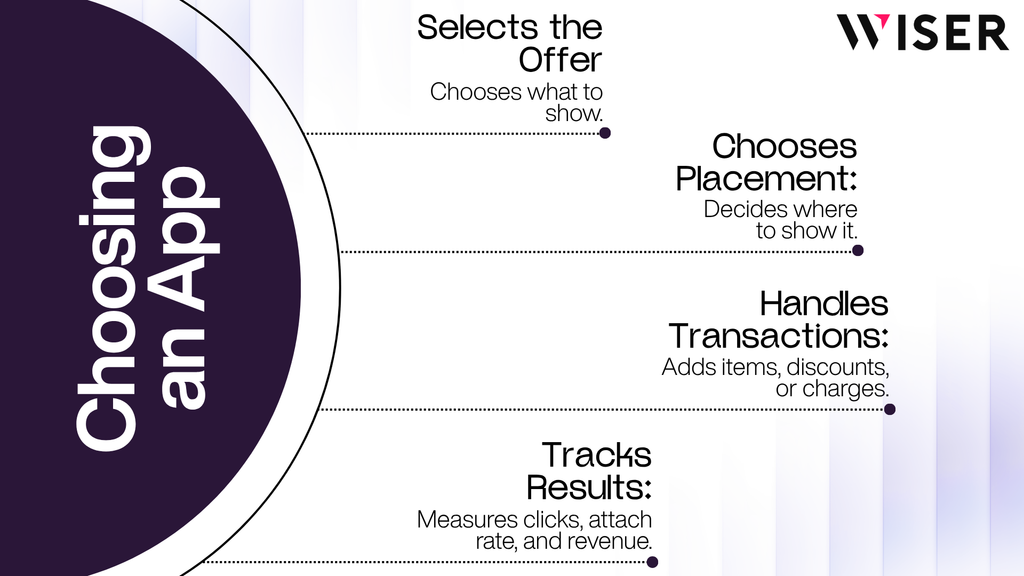
What an upsell app actually does
A modern Shopify upsell app does four things:
- Decides what to show. Handpicked, rule-driven, or model-driven selection of the offer.
- Decides where to show it. Product page, cart, checkout, post-purchase, thank-you page, email.
- Handles the transaction. Adds to cart, applies discounts, or charges a vaulted card post-purchase.
- Reports what happened. Impressions, clicks, attach rate, and revenue by placement.
The third is why a dedicated app exists rather than a theme section. Showing a recommendation is easy. Adding a product to an order that has already been paid for, without asking for the card again, is not.
The fourth is where most stores get let down, and it is the reason the measurement section above is as long as it is.
The app category map
“Upsell app” covers at least six product types. Knowing which category you are shopping in prevents most bad purchases.
| Category | What it does | Best for | Watch for |
| Recommendation engines | Behavior-driven suggestions across many placements | Mid to large catalogs wanting one system end to end | Needs order history before personalization sharpens |
| Post-purchase specialists | Deep focus on the post-checkout offer | Stores where post-purchase is the priority | Only one can occupy the slot; check wallet payment mix first |
| Bundle builders | Fixed, mix-and-match, and volume bundles | Catalogs with natural product sets | Cart Transform limits around selling plans and Plus-only operations |
| Cart drawer apps | Replace the native drawer, add upsell modules | Stores whose theme drawer is weak | Can conflict with theme JavaScript; test on mobile first |
| All-in-one CRO suites | Upsell as one feature among dozens | Small stores consolidating a stack | Breadth often costs depth in recommendation quality |
| Checkout extension apps | In-checkout offers via checkout UI extensions | Shopify Plus stores only | Confirm it means checkout steps, not the thank-you page |
The stack sprawl problem
The common mistake is not choosing the wrong app. It is choosing four.
A bundle app for the product page, a cart drawer app for the cart, a post-purchase app for after checkout, an email tool for flows. Each works. Together they create three problems.
Attribution double counting: Two apps both claim credit for the same order. Add up their dashboards and you exceed your actual revenue.
Competing offers: A shopper who accepted a bundle on the product page sees a cart cross-sell for something similar, then a post-purchase offer for a third variation. That reads as pestering.
No shared memory: The post-purchase app does not know what the cart app already showed and got declined, so it shows it again.
One engine across multiple placements avoids all three. We compared coverage across the category in our roundup of Shopify upsell and cross-sell apps for 2026.
Scoring the shortlist
The category map tells you which type of app you are shopping for. It does not tell you whether a specific app is worth installing, and that is a different set of questions: whether the feature you want runs before or after payment on your plan, how much JavaScript the app adds to every page load, whether its pricing model is still profitable at your order volume, and whether its reporting isolates app-attributed revenue cleanly enough to judge ROI at all.
Those are the questions that separate two apps looking identical on a feature grid. We turned them into a seven-point scorecard, with a trial protocol for validating a shortlist one app at a time, in how to choose the best Shopify upsell app.
Two rules from it are worth carrying into any evaluation, whichever app you land on:
- Install trial apps one at a time. Five at once tells you nothing about which one moved AOV, and it makes the performance cost impossible to attribute to anything.
- Measure Core Web Vitals before and after each install. An app that adds a second of mobile load time can erase the AOV it was bought to create. This is the cost that never shows up in the app’s own dashboard.
Troubleshooting: Why Your Upsells Are Not Performing
| Symptom | Most likely cause | What to check |
| Post-purchase offers never appear | Payment method suppression | Payment breakdown in Shopify admin; wallet and gift card share |
| “Pair it with” block is empty | Complementary products not configured | Shopify Search and Discovery app; these are manual, not automatic |
| Thank-you page upsell stopped working | Legacy page replaced by the checkout extensibility upgrade | Settings, then Checkout, for upgrade status |
| Bundle or volume pricing stopped working | Shopify Scripts sunset | Whether the logic ran on Scripts; migrate to Functions |
| Two apps report more revenue than the store made | Attribution double counting | Compare app totals against Shopify’s own order data |
| Second post-purchase app does nothing | Only one app can hold the slot | Checkout settings; select the intended app |
| AOV rose but profit did not | Margin or shipping threshold cost | Contribution margin per order, not gross AOV |
| Recommendations look generic | Insufficient behavioral data | Order volume; use rules until the model has signal |
| Cart drawer converts worse after install | Checkout button pushed below the fold | Test on a real phone, not a desktop emulator |
| Ad platform conversions dropped with no traffic change | Tracking removed during the page upgrade | Place a test order and trace it through all three systems |
The Mistakes That Quietly Cost Money
Upselling after the decision is locked: The cart is the wrong place for a pricier alternative. Complements, yes. Substitutes, no.
Discounting what would have sold anyway: A 15 percent bundle discount on two items customers routinely buy together is a price cut with extra steps. Test the bundle at full price first.
Pre-checked add-ons: The FTC’s staff report Bringing Dark Patterns to Light names preselection and drip pricing among design practices that trick or manipulate users into choices they would not otherwise make. Beyond the regulatory exposure, pre-checked boxes generate refunds and chargebacks that erase the gain.
Confirmshaming: Decline buttons reading “No thanks, I don’t want to save money” sit in the same category. Marginally better conversion in the moment, worse relationship afterward.
Countdown timers on offers that are not time limited: Also cited in that report. If the timer resets on refresh, it is a fabrication.
Too many options: Two to four recommendations per placement. Beyond that you add cognitive load exactly where you want a fast decision.
Ignoring margin: Your highest-attach cross-sell may be your lowest-margin SKU. Sort recommendation candidates by contribution, not popularity.
Switching on post-purchase without checking payment mix: The most common source of “the app isn’t working.” Often the app is working, and the offers are being suppressed exactly as documented.
Skipping mobile testing: Cart drawers are the usual casualty. A carousel that looks tidy on desktop can push the checkout button off screen on a phone.
The Decision Tree: What to Turn On First
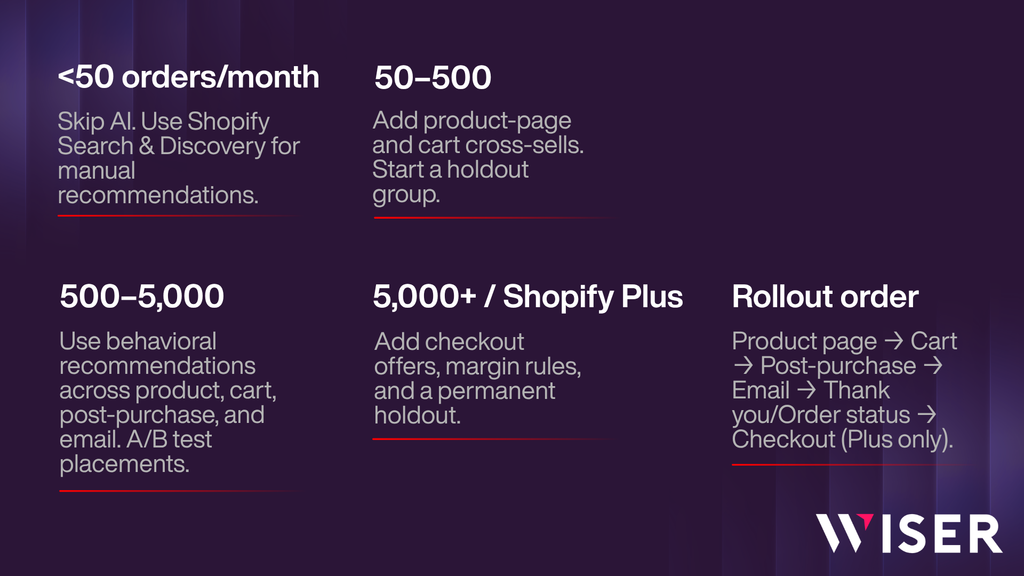
Under 50 orders a month
Skip AI. You have not generated the data it needs.
Set complementary products manually in the free Shopify Search and Discovery app and add a related products block to product pages. Cost: your time. Revisit in a quarter.
50 to 500 orders a month
Add product page recommendations and a cart drawer cross-sell.
Turn on post-purchase only after checking your payment method breakdown for wallet share. Establish a holdout group now, while the data is small enough to reason about.
500 to 5,000 orders a month
Enough signal for behavioral targeting.
Run product page, cart, and post-purchase together, with email recommendations in order confirmations and shipping notifications. A/B test placements individually. Consolidate if you are running several apps.
5,000+ orders a month, or Shopify Plus
Add in-checkout offers, available to you and nobody else.
Layer margin rules over the model to counter the concentration effect the research describes. Build a permanent holdout and treat incremental AOV as a standing metric rather than a launch check.
Every tier, in this order: product page, cart drawer, post-purchase, email, thank-you and order status, checkout steps (Plus only).
The first two are available to everyone, carry the most volume, and cost nothing to trial.
A 30-Day Implementation Plan
Week 1: Baseline. Record current AOV, conversion rate, items per order, and refund rate. Pull your payment method breakdown to size the post-purchase opportunity. Check Settings, then Checkout, for thank-you and order status page status. Verify that your conversion tracking still fires by placing a test order. Identify your ten highest-margin products.
Week 2: Product page. Launch related products below the fold and a frequently bought together block near the add-to-cart button. Set a 15 percent holdout. Change nothing else.
Week 3: Cart drawer. Add two to three contextual cross-sells and, if you have a shipping threshold, a progress bar. Verify on a real phone. Keep the same holdout.
Week 4: Read results and extend. Compare exposed against holdout on AOV, conversion, and refund rate. If the delta is positive on all three, turn on post-purchase, assuming your payment mix supports it, and add recommendation blocks to order confirmation emails.
Then repeat monthly, one variable at a time.
Definitions
Upsell. An offer for a better, larger, or higher-tier version of the product the shopper is already considering.
Cross-sell. An offer for a different, complementary product alongside the one chosen.
Order bump. A small, low-consideration add-on presented as a checkbox during checkout.
One-click upsell. A post-payment offer accepted without re-entering payment details, using the card already vaulted for the order.
Attach rate. Orders containing an accepted offer, divided by orders that saw the offer.
AOV (average order value). Total revenue divided by total orders, for a given window.
Incremental AOV. AOV in the group that saw offers, minus AOV in a holdout group that saw none, over the same window. The only figure that isolates causation.
Holdout group. A randomly withheld share of traffic, typically 10 to 20 percent, shown no offers, used as the control.
Conclusion
Upselling on Shopify is merchandising, not a growth hack. It is the same discipline a good shop assistant applies when they mention that the jacket you are holding comes with a matching scarf, and then leave you alone.
Stores that do it well share three habits. They match the offer to the moment instead of running the same block everywhere. They know what their plan and payment mix permit before building around it. And they measure against a holdout, because gross AOV flatters everyone equally and tells nobody anything.
Wiser runs AI-powered recommendations across the product page, cart drawer, checkout, post-purchase page, thank-you page, and email, reporting revenue by placement and by widget so you can see which surfaces earn and which are decorative.
Start a free 14-day trial, or see the placement split from a live store.
Frequently Asked Questions
What is the difference between upselling and cross-selling on Shopify?
Upselling offers a better or larger version of the product a shopper is already considering. Cross-selling offers a different, complementary product alongside it. Upgrading a 500ml bottle to 1L is an upsell. Adding a carry case is a cross-sell.
Do I need Shopify Plus to run upsells?
Only for offers on the checkout steps. Checkout UI extensions on the information, shipping, and payment steps are Plus-only. Product page, cart, post-purchase, thank-you page, order status page, and email upsells all work on standard plans, with thank-you and order status extensions available on every plan except Shopify Starter.
Why is my post-purchase upsell not showing?
Almost always an eligibility rule rather than a fault. Shopify suppresses post-purchase offers for wallet and installment payments, gift cards, local delivery orders, orders carrying both duties and multiple currencies, and orders under $0.50. Orders must also come through the Online Store channel. Check your payment method mix first, since wallets are the most common cause.
Can I run two upsell apps at once?
Not on the post-purchase page. Shopify permits only one app there, selected in checkout settings. Elsewhere you can, though merchants can place at most three extensions in the same checkout block target, and multiple apps competing for one surface produce duplicate attribution and conflicting offers.
How many products should I recommend at once?
Two to four per placement, and two in a mobile cart drawer. More options at the point of decision slows decisions down, and the drawer has very little usable space on a phone before the checkout button gets pushed off screen.
Does Shopify generate complementary product recommendations automatically?
No. Shopify auto-generates related recommendations only. Complementary recommendations must be configured manually, product by product, in the free Shopify Search and Discovery app. This is why “Pair it with” blocks so often appear empty on otherwise well-built stores.
What is a realistic AOV lift from upselling?
There is no credible industry average. Published figures are typically drawn from a single vendor’s customer base without a control group. The only number that means anything for your store is one you generate against a holdout group over at least four weeks.
Should I discount my upsell offers?
Test without a discount first. If an offer converts at full price, discounting reduces margin on revenue you would have earned anyway. Reserve discounts for offers that genuinely fail without them, and count the discount as a cost against that offer.
Do upsells hurt conversion rate?
Offers placed before payment can. Offers placed after payment cannot, because the order is already complete. This is why post-purchase is the safest surface to start with, and why any pre-payment offer should be measured on conversion as well as order value.
What happened to Shopify Scripts, and does it affect my bundles?
Shopify Scripts were sunset on June 30, 2026, and any Scripts still published were deactivated. Bundle pricing, volume discounts, or shipping logic running on Scripts stopped working. The replacement is Shopify Functions. Any plan can use public App Store apps containing Functions; only Plus stores can use custom apps containing Function APIs.
What did the August 26, 2026 deadline change?
It was the date by which non-Plus stores had to upgrade their thank-you and order status pages to checkout extensibility. Legacy customizations built on checkout.liquid, the Additional Scripts field, or script tag apps are replaced during the upgrade, and stores that did not upgrade manually were upgraded automatically. Check Settings, then Checkout, to confirm your status.
Does product search affect upsell performance?
Indirectly, and significantly. Search-driven sessions carry higher intent than cold browsing, so recommendations shown alongside them convert better. Search terms, filter selections, and zero-result queries are also useful inputs for a recommendation model, particularly for first-time visitors with no purchase history.