


Key Takeaways
- Native Shopify tools handle product-page recommendations, fixed bundles, and discounts for free. Apps add the placements Shopify leaves out: cart, checkout, and post-purchase.
- Shopify generates related products automatically. Complementary products are manual picks, up to 10 per product, set in Shopify’s free Search & Discovery app.
- Cart drawer offers and shopper-level personalization usually need an app or custom code. Post-purchase offers always need a third-party app.
- Upsells inside the checkout information, shipping, and payment steps require Shopify Plus, which starts at $2,300 per month, plus a compatible app.
- Only one app can run the post-purchase page, and wallet or installment payments such as Apple Pay skip that page entirely.
- Every app adds cost, storefront code, and maintenance, so test its speed impact and ask exactly how it attributes revenue before you commit.
- Start native, measure with Shopify’s own recommendation reports, and add an app only when a specific, priced gap is costing you sales.
Open almost any Shopify theme, and there is already a “You may also like” row under the product. Shopify also gives you a free recommendations app, a free bundles app, and a discount builder. Then you search the App Store and find hundreds of upsell apps, every one of them promising a bigger average order value.
That leaves most merchants with the same question. Is the free toolkit enough?
What settles it is your store. Where do you want offers to show up? How many products are you pairing? Which Shopify plan are you on? This guide covers what Shopify handles today, where it stops, what only Plus stores get, and how to work out whether an app will pay for itself.
Shopify Upsell Apps vs Native Features: The Short Answer
Native Shopify features cover the fundamentals of upselling: product-page recommendations, fixed bundles, and discounts. A dedicated upsell app adds offers where Shopify has no built-in placement, such as the cart drawer, the post-purchase page, and the Thank you page. Apps also bring shopper-level personalization, richer offer rules, A/B testing, and revenue reporting broken down by placement.
The right choice comes down to which gaps actually hurt your store, and whether closing them pays for the app.
What “Native” Means in Shopify: Four Different Categories
People use “native” loosely. In practice, it covers four different things:
- Built into Shopify: the discount builder, the checkout and accounts editor, automatic related-product recommendations, and the product recommendation conversion report in Shopify Analytics.
- Free apps built by Shopify: Search & Discovery for recommendations, Shopify Bundles for fixed bundles and multipacks, and Checkout Blocks for checkout content. You install them, but Shopify builds and supports them.
- Theme features: the related products section and the complementary products block. Your theme decides whether they exist and how they look.
- Third-party apps: built by independent developers, listed in the Shopify App Store, and usually billed monthly.
When someone says Shopify “does this natively,” check which of the four they mean. A theme feature costs nothing, but it won’t help if your theme doesn’t include it.
What Shopify Can Do Natively for Upselling and Cross-Selling
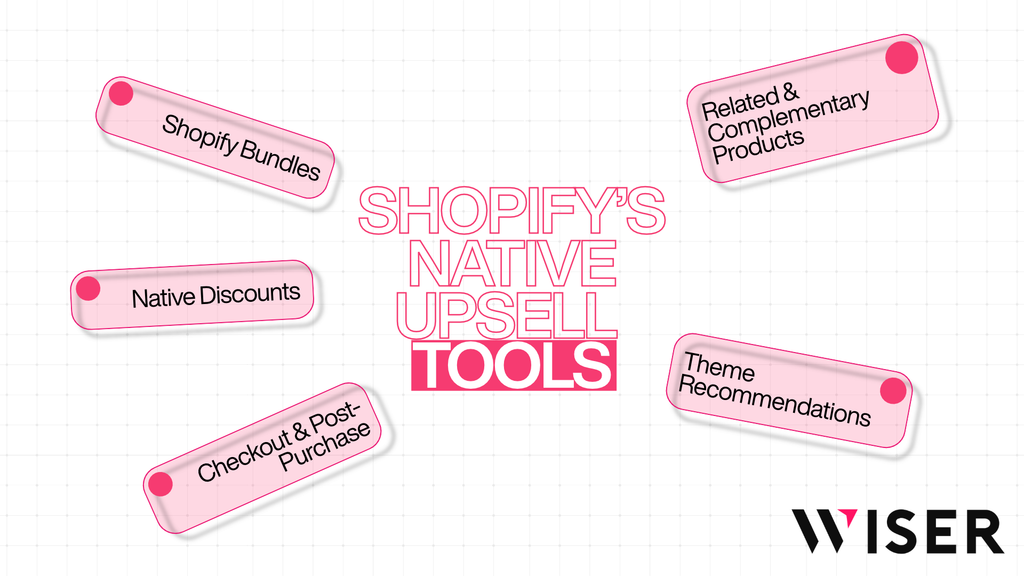
Shopify’s native toolkit covers product-page recommendations, fixed bundles, discounts, and a limited set of checkout customizations. Here is what each tool does and where it stops, based on Shopify’s documentation as of November 2026.
Related and Complementary Products With Search & Discovery
Shopify supports two recommendation types, and they behave differently.
Related products are similar items, often substitutes, shown in a “You might also like” style row. Shopify generates them automatically for every product using three signals: purchase history (products with no sales history have thin data), product descriptions (English storefronts only), and related collections as a fallback. You cannot edit the generated list, but you can add up to 10 of your own picks and show them alone or ahead of the automatic ones.
Complementary products are add-ons, such as socks with shoes. Shopify does not generate these. You choose them by hand in the free Search & Discovery app, up to 10 per product.
A recommended product shows only when it is active, published to the Online Store, priced above $0.00, not a gift card, and not already in the shopper’s cart. Complementary products also need inventory above zero. For larger catalogs, you can assign recommendations in bulk through the Bulk Editor or by editing Shopify’s standard recommendation metafields, including with Shopify Flow.
Theme Recommendation Sections: Where Native Suggestions Appear
Search & Discovery controls what gets suggested, but your theme controls whether shoppers ever see it.
Related products is a theme section on the product page, and you get one per page. Complementary products is a block inside the product information section, available only on compatible themes, and you also get one per page showing 1 to 10 products. Heading, layout, and card design all come from the theme.
Shopify’s documented placements are product-page sections. Showing recommendations in a cart drawer or on other pages depends on your theme or on custom development with Shopify’s product recommendations tools. If you use Shopify’s tracked recommendation URLs, the results land in the product recommendation conversion report in Shopify Analytics.
Shopify Bundles: Fixed Bundles and Multipacks
Shopify Bundles is a free first-party app on every plan. It creates fixed bundles (different products sold as one) and multipacks (several units of one product), with inventory tied to the component products.
Know the limits before you build a strategy around it:
- Up to 30 components per fixed bundle, and a maximum of 3 options and 100 variants per bundle.
- Inventory is tracked by overall stock, not by location.
- The bundle price does not update when a component’s price changes. You update it by hand.
- Bundles cannot be sold with selling plans such as subscriptions, pre-orders, or try-before-you-buy.
- Mix-and-match bundles require “customized bundles,” which an app or developer builds with Shopify Functions and the Cart Transform API.
A bundle is a product. It still needs a recommendation, a cart offer, or a campaign to reach shoppers at the right moment.
Native Discounts and Promotional Rules
Shopify’s discount builder covers amount off products, amount off orders, Buy X Get Y, and free shipping, as codes or automatic discounts. The combination rules that catch people out:
- A store can run up to 25 active automatic discounts at once, and that total includes app-based discounts.
- Customers can use up to 5 product or order discount codes and 1 shipping code per order.
- On every plan except Plus, products in a Buy X Get Y discount cannot receive further product discounts.
- Stacking several product discounts on the same line item is a Shopify Plus feature.
Discounts change the price without showing the shopper an offer, so they work best paired with a recommendation, a banner, or a cart message.
One more change matters for older Plus stores. Shopify deprecated Shopify Scripts on June 30, 2026, and published scripts stopped running. Custom discount and cart logic now runs on Shopify Functions. Public App Store apps built with Functions work on Basic and higher, while custom Functions apps require Plus.
Checkout, Thank You Page, and Post-Purchase Pages: Plan Limits
Plan restrictions get strictest here. According to Shopify’s checkout apps documentation:
- All plans (Basic and up) can use the checkout and accounts editor, add eligible app blocks to the Thank You page and Order status pages, and use apps with post-purchase extensions.
- Shopify Plus only can add app blocks to the information, shipping, and payment steps. That is where in-checkout upsells live.
Checkout Blocks, Shopify’s free checkout app, lets non-Plus stores place static and dynamic content blocks (text, banners, buttons) on the Thank you page and Order status pages only. Its documented block list has no product-offer block.
The post-purchase page appears after payment and before the Thank you page. Shopify ships no built-in offer for it, so you need a third-party app, and only one app can run this page at a time. Shopify also limits when it shows:
- It will not appear for wallet or installment payments (Apple Pay, Google Pay, PayPal, Klarna, Afterpay, and the like), gift cards, or other non-credit-card payments.
- It works only for Online Store orders of at least $0.50, and not for local delivery or orders with duties and multiple currencies.
- Customers can accept up to three post-purchase offers per checkout.
- Shopify holds fulfillment until the customer reaches the Order status page or one hour passes.
What Dedicated Shopify Upsell Apps Add
Upsell apps fill the gaps native tools leave open. Features vary widely from app to app, so treat the list below as a checklist to confirm on each App Store listing, not as something every app provides. If you are shortlisting tools, Wiser’s roundup of the best Shopify upsell and cross-sell apps compares current options side by side.
- Cart and cart drawer offers. Add-ons inside the slide-out cart, often with free-shipping or reward progress bars and tiered cart discounts. Natively, this needs theme support or custom code.
- Frequently bought together widgets. Suggested add-ons shown as a set, usually with a combined price and a one-click “add all” button. Native complementary products are a manual list with no bundle price.
- Shopper-level personalization. Recommendations based on what a visitor viewed this session, recently viewed items, or current cart contents. Shopify’s automatic recommendations run on product-level signals (purchase history, descriptions, and collections), not shopper-level ones.
- Offer rules and targeting. Different offers by product, collection, tag, cart value, customer type, or market, with exclusions so shoppers never see items they already own.
- Checkout upsells. Product offers inside the checkout steps, built with checkout UI extensions. These work only on Shopify Plus.
- Post-purchase one-click offers. Offers a shopper accepts without re-entering payment details. These work on Basic and up, within Shopify’s post-purchase limits.
- Thank you page and Order status page offers. Product recommendations after the order is placed, available on Basic and up with an eligible app.
- Testing and reporting. A/B tests between offers or layouts, and revenue reports broken down by widget or placement.
- Channels beyond the storefront. Some apps also place recommendations in emails or pop-ups.
An app buys you more placements and more control. In return, you take on a subscription, extra code on your storefront, and another vendor to manage.
Native Shopify vs Upsell Apps: Side-by-Side Comparison
This table separates what Shopify builds in, what depends on your theme or a free Shopify-built app, what a third-party app can add, and what your plan controls.
| Area | What Shopify provides | What a third-party app can add | Plan dependency |
Setup and ease of use | Configured in the admin and theme editor with built-in tools or free Shopify apps, no new vendor. | Install, place app blocks, and configure rules. Onboarding help varies by vendor. | Same on all plans |
Product recommendations and personalization | Related products: auto-generated (built-in) plus up to 10 manual picks (Search & Discovery). Complementary products: manual only, up to 10. Product-level signals. | Shopper-level recommendations from browsing, recently viewed items, or cart contents, plus more widget types and automated add-on suggestions. | All plans. Description-based matching needs an English storefront. |
| Product-page and cart upsells | One related products section and one complementary products block per product page, on compatible themes. No documented native cart placement. | Cart drawer and cart page offers, progress bars, tiered cart discounts, and one-click add. | All plans |
Product-page and cart upsells | One related products section and one complementary products block per product page, on compatible themes. No documented native cart placement. | Cart drawer and cart page offers, progress bars, tiered cart discounts, and one-click add. | All plans |
Checkout and post-purchase | Checkout and accounts editor (built-in). Checkout Blocks adds content blocks to the Thank you page and Order status pages. No native post-purchase offer. | Checkout-step upsells, one-click post-purchase offers, and Thank you page or Order status page offers. | Checkout steps: Plus only. Post-purchase and Thank you page: Basic and up. One post-purchase app at a time. |
Bundles, discounts, and offer rules | Fixed bundles and multipacks (Shopify Bundles). Amount off, Buy X Get Y, and free-shipping discounts, capped at 25 active automatic discounts. | Mix-and-match bundles, volume tiers, discounted bought-together sets, tiered cart rewards, and conditional offers. | Same-line discount stacking and custom Functions apps: Plus only. |
| Customization and targeting | Look is controlled by theme settings. Discounts support eligibility rules, but recommendation sections are set per product, not per audience. | Rules by cart value, tags, customer type, or market, with exclusions and custom styling. | All plans |
| Pricing and additional costs | Included in your Shopify plan. | Monthly fee, often tiered by order volume or by app-attributed revenue. Free tiers are common. | Checkout-step upsells also need Plus, from $2,300 per month. |
Maintenance and compatibility | Maintained by Shopify. Theme changes can move or remove sections. | Another vendor to manage. Check theme compatibility and conflicts with other cart or checkout apps. | Checkout editor allows up to 3 apps per area on every plan. |
Performance and storefront impact | No added app scripts beyond the theme. | Apps must not cut storefront Lighthouse scores by more than 10 points. Test on your own store. | All plans |
Reporting and measurement | Product recommendation conversion report. Bundle performance tracking in Shopify Bundles. | Revenue by widget or placement, click-through rates, and A/B tests. Attribution methods vary. | All plans |
Sources: Shopify documentation on product recommendations, Search & Discovery, Shopify Bundles, discount combinations, checkout apps, app performance, and Shopify Plus pricing.
When Native Shopify Features Are Enough
Native tools are often the right place to start. They usually do the job when:
- You need straightforward recommendations. Related and complementary products on the product page cover your main cross-sell.
- Manual pairings stay manageable. Ten complementary picks per product is easy across 50 products. Across 2,000 products, it can mean up to 20,000 pairings to keep current.
- You want a leaner stack. Fewer apps mean fewer scripts, smaller bills, and fewer vendors to coordinate.
- Fixed bundles and standard discounts fit your promotions. Multipacks, curated sets, and threshold discounts are all native.
- You are still testing the idea. Native tools let you see whether shoppers buy add-ons before you pay for more.
Take a candle shop with 80 products. It can pair each candle with a wick trimmer and matches, sell a three-pack through Shopify Bundles, and run an automatic discount on accessories. That covers its core cross-sell with no app at all.
When a Dedicated Shopify Upsell App Is Worth Considering
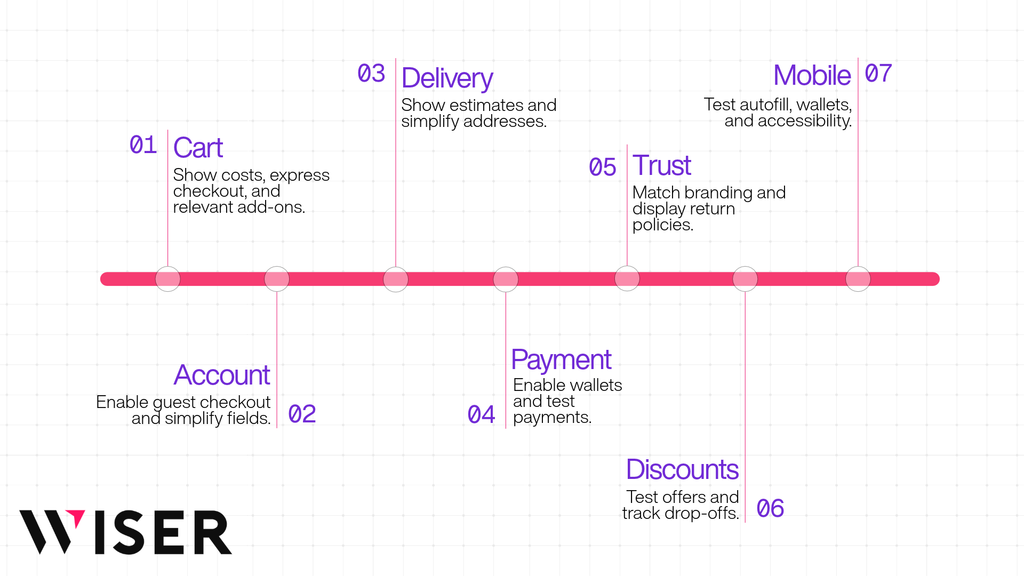
An app earns a closer look when one or more of these is true:
- You need placements Shopify does not cover. Cart drawer, post-purchase, and Thank you page offers all require an app or custom work.
- Your catalog is too large or moves too fast for manual pairings. Automated suggestions save recurring merchandising time.
- Offers should adapt to the shopper or the cart. Native recommendation sections treat every visitor the same way.
- You need richer offer logic. Tiered cart rewards, mix-and-match bundles, exclusions, or segment targeting all go beyond the native builder.
- You want proof. A/B testing and placement-level revenue reporting show you what is actually working.
- You run Shopify Plus. Checkout-step offers are possible only with Plus and an app.
- The numbers work. The margin from accepted offers clearly beats the app’s cost.
Consider a supplement brand selling 600 SKUs, launching products monthly, and leaning on subscriptions. Keeping manual pairings current would eat hours every month, and Shopify Bundles cannot be sold with subscription plans. Automated recommendations plus post-purchase add-ons fit that store far better.
How Your Store’s Situation Changes the Answer
- Catalog size and churn: the more products you carry and the faster they change, the stronger the case for automation.
- Store complexity: multiple markets, subscriptions, or B2B pricing raise the bar for any tool, native or app. Check compatibility early.
- Budget: compare the app fee with your gross margin, not your revenue. Checkout upsells also carry the cost of Plus.
- Technical resources: a developer can extend theme recommendations into the cart, but then you own that code.
- Customer experience: more offers are not always better. Each popup, drawer widget, and checkout block competes for attention.
- Actual requirements: write down the placements and rules you need before you compare tools, so a feature list does not set your strategy for you.
A Five-Question Decision Framework
Answer these in order. Each answer points to native tools, an app, or Shopify Plus plus an app.
- Where must offers appear? Product page only points to native. Cart, post-purchase, or Thank You page points to an app. Inside the checkout steps requires Plus and an app.
- Can you keep pairings current by hand? Multiply your active products by the pairings each one needs. If you cannot review that list every season, automate.
- Should offers change by shopper or cart contents? If yes, you need an app.
- How will you measure success? Pick one metric before you install anything, such as add-on attach rate or average order value, and compare it against a baseline period or an A/B test.
- Does the math work? Use a simple break-even check: monthly app cost divided by average gross margin per accepted offer equals the accepted offers you need each month. At a $49 monthly fee and $7 of margin per add-on, that is about 7 extra accepted offers a month.
If every answer points to native, stay native and revisit next quarter. If two or more point to an app, shortlist only apps that close those exact gaps.
Costs, Performance, and Maintenance: The Trade-Offs to Weigh
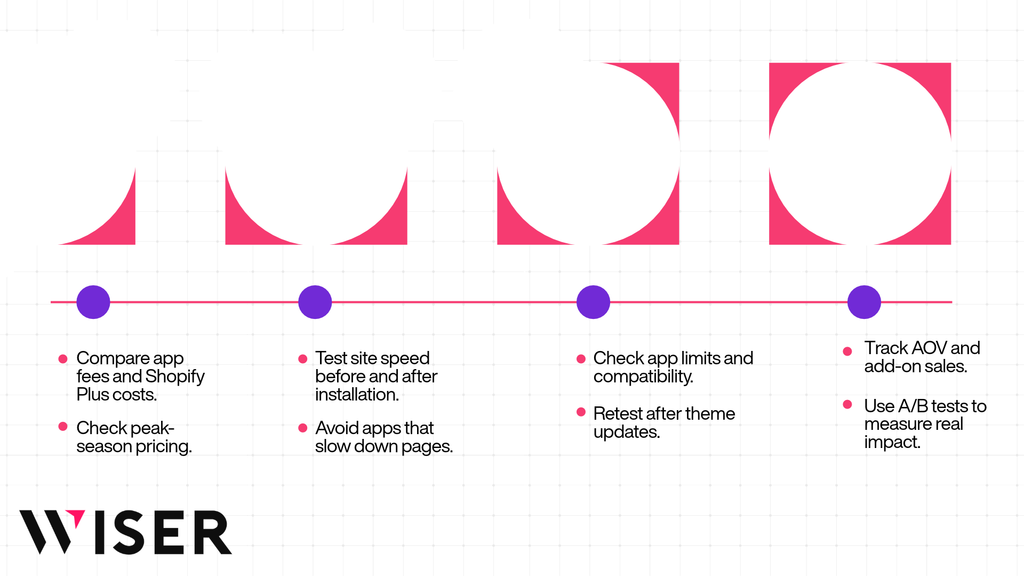
Cost is only one piece of this. Weigh these four areas before you install anything.
Cost
Native tools come with your Shopify plan. The real cost question for checkout upsells is the plan itself, since in-checkout offers require Shopify Plus, which starts at $2,300 per month for a three-year term ($2,500 on a one-year term).
Upsell apps lean on a few common pricing models: a flat monthly fee, tiers based on total store orders, or tiers based on the revenue the app attributes to itself. Model the cost at your real volume, including peak months like Black Friday, when order-based tiers can jump. Then count the time you will spend on setup, design tweaks, and rule maintenance.
Performance
Every storefront app adds code. Shopify’s performance criteria expect App Store apps not to reduce storefront Lighthouse performance scores by more than 10 points, and the same threshold applies to Built for Shopify status.
Do not trust the listing alone. Run Lighthouse on your home, product, and collection pages several times before and after installing, then compare the averages. Scores swing between runs, so a single test can mislead you.
Maintenance and Compatibility
- Only one app can run the post-purchase page, so pick it deliberately.
- The checkout and accounts editor allows up to 3 apps per highlighted area.
- App-based automatic discounts count toward the store’s limit of 25 active automatic discounts.
- If an app replaces your native recommendations, hide the theme’s related products section so shoppers do not see duplicate rows.
- After any theme update, confirm that app blocks and embeds still appear where you placed them.
Measuring Value Honestly
App dashboards report “generated” or “influenced” revenue, and every vendor defines it differently. Wiser, for example, counts a sale when a shopper clicks a Wiser recommendation and then buys that product. That is useful for comparing placements, though it still falls short of true incremental revenue.
To judge real impact, track average order value and add-on attach rate against a baseline period, or run an A/B test with a control group. On the native side, the product recommendation conversion report in Shopify Analytics gives you a starting benchmark.
Where Wiser Fits in This Comparison
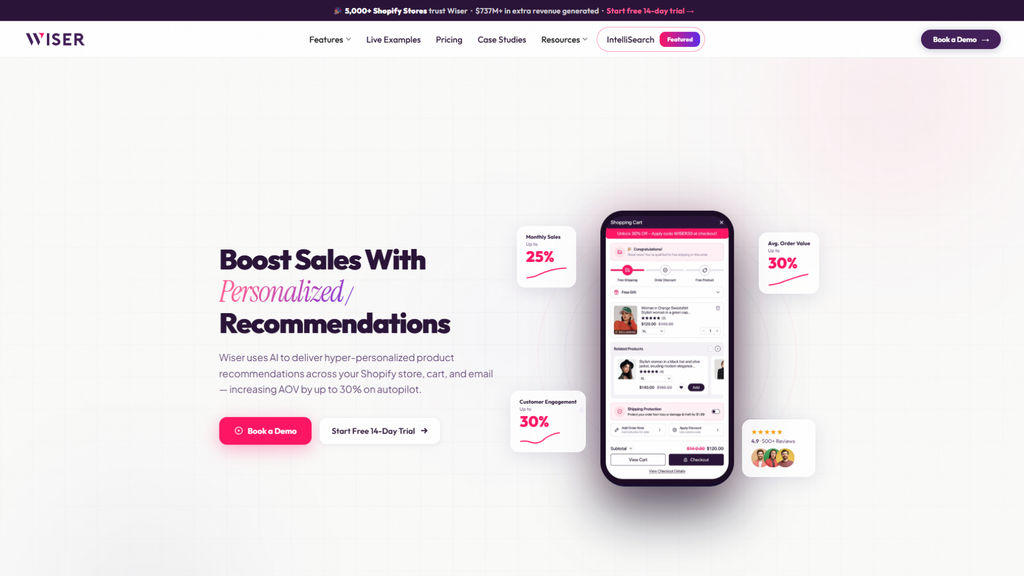
Wiser is a Shopify upsell and product recommendation app, listed on the App Store as Wiser Recommendations & Upsell and available since 2017. It holds a 4.9-star rating across 500-plus reviews and is built for stores that have outgrown product-page pairings and want recommendations and offers across the full shopping journey from one app.
Based on Wiser’s App Store listing and website as of 2026, it adds the following on top of Shopify’s native tools:
- Product page: frequently bought together bundles with discounts and data rules, related products by metafields, tags, or AI, recently viewed items, “You may also like,” Shop the Look, and handpicked manual recommendations.
- Cart: a slide-out cart drawer with tiered gifts, discounts, and a rewards bar.
- Checkout: checkout upsells for Shopify Plus stores.
- After the order: post-purchase upsells plus Thank you page and Order status page offers, which work on Basic and up.
- Measurement: revenue tracked by widget and A/B testing of recommendations.
- Beyond the storefront: email recommendation blocks and AI search and filters.
Pricing: Wiser charges based on monthly store orders. It is free up to 50 orders, then $9 for 51 to 100 orders, $19 for 101 to 300, $49 for 301 to 500, $99 for 501 to 1,000, and $199 for 1,001 to 2,000, with a custom Enterprise plan above that.
Every plan includes a 14-day free trial. The order-based plans cover post-purchase upsells, frequently bought together, AI and manual recommendations, and cart page upsells. The advanced cart drawer, tiered cart discounts, checkout page upsells, IntelliSearch, and bundle discounts sit on the Enterprise plan, so confirm which plan covers the placements you need.
Wiser is a reasonable fit when:
- You have confirmed that shoppers buy add-ons and want product page, cart, and post-purchase offers managed in one place.
- Your catalog is too large or changes too often for manual pairings.
- You want revenue by placement, so you can keep what works and drop what does not.
A few limits to know. Wiser’s post-purchase offers follow Shopify’s post-purchase restrictions. Its help center also notes that some targeting rules do not apply on the post-purchase page, so confirm the rules you plan to use before you build funnels. Checkout-step upsells still require Shopify Plus. And if native product-page pairings already meet your needs, you may not need Wiser or any upsell app yet.
Wiser publishes merchant case studies, and those results are self-reported and will vary by store.
The Bottom Line
Shopify’s native features are a solid, free foundation: automatic related products, manual complementary pairings, fixed bundles, and a capable discount builder. They stop at the product page and the price rule. Cart drawer offers, post-purchase upsells, thank-you page offers, shopper-level personalization, and placement-level testing all need an app, and in-checkout upsells need Shopify Plus on top.
A practical sequence: set up native recommendations first, measure add-on attach rate and average order value for a few weeks, then add an app only to close a gap you can name and price. If you cannot say which placement or rule you are missing, you probably do not need an app yet.
Frequently Asked Questions
1. What is the difference between native Shopify upsell features and Shopify upsell apps?
Native features come with your plan: automatic related products, manual complementary products, the Shopify Bundles app, and the discount builder. They focus on product-page placements and simple price rules. Shopify upsell apps add the placements Shopify does not build in, such as cart drawer offers, post-purchase one-click offers, and Thank you page recommendations, plus shopper-level personalization, advanced offer rules, A/B testing, and per-widget revenue reporting.
2. Are Shopify’s native upsell features free?
Yes. Automatic related products, up to 10 manual recommendations per product through the free Search & Discovery app, fixed bundles through the free Shopify Bundles app, and the built-in discount builder are all included on every Shopify plan at no extra cost. You pay only when you add a third-party app or upgrade to Shopify Plus for checkout-step placements.
3. Which upsell placements does native Shopify not support?
Shopify has no built-in product offers for the cart drawer, the post-purchase page, or the Thank you page and Order status pages. Those placements need a third-party upsell app or custom development. Offers inside the checkout information, shipping, and payment steps are even more restricted: they require Shopify Plus plus a compatible checkout app.
4. Do upsell apps work on Shopify Basic, or do they need Shopify Plus?
Most upsell placements work on Basic and up, including cart drawer offers, post-purchase one-click offers, and Thank you page recommendations. Only checkout-step upsells require Shopify Plus, which starts at $2,300 per month on a three-year term. Public apps built with Shopify Functions also run on Basic, while custom Functions apps are Plus-only.
5. Can I use more than one upsell app on my Shopify store?
Usually yes, with three limits to watch. Only one app can run the post-purchase page at a time. The checkout and accounts editor allows up to 3 apps per highlighted area. And app-based automatic discounts count toward your store’s cap of 25 active automatic discounts, so too many discounting apps can crowd out your own promotions.
6. Do post-purchase upsells work with Apple Pay, Google Pay, or installment payments?
No. Shopify skips the post-purchase page for wallet and installment payments such as Apple Pay, Google Pay, PayPal, Klarna, and Afterpay, as well as gift cards and other non-credit-card payments. If most of your shoppers use wallets, pair post-purchase offers with Thank you page offers so those orders still see a recommendation.
7. How many product recommendations can I set natively per product?
Up to 10 related products and up to 10 complementary products per product. Related products also generate automatically from purchase history, product descriptions, and related collections. Complementary products display through a theme block on compatible themes. For large catalogs, set recommendations in bulk with the Bulk Editor or Shopify’s standard recommendation metafields.
8. Do Shopify upsell apps slow down your store?
They can if they are poorly built, because every storefront app adds code. Shopify’s performance criteria expect apps not to reduce storefront Lighthouse performance scores by more than 10 points. Do not rely on the listing alone: run Lighthouse on your home, product, and collection pages several times before and after installing, then compare the averages.
9. Can Shopify Bundles create mix-and-match bundles or work with subscriptions?
No. The free Shopify Bundles app creates fixed bundles and multipacks only, and bundles cannot be sold with selling plans such as subscriptions or pre-orders. Mix-and-match requires “customized bundles,” which an app or developer builds with Shopify Functions and the Cart Transform API. If subscriptions are core to your store, check compatibility before you commit to a bundling approach.
10. How do I know if a Shopify upsell app is worth its cost?
Do the break-even math first: monthly app cost divided by average gross margin per accepted offer tells you how many accepted offers you need each month. At $49 per month and $7 of margin per add-on, that is about 7 offers. Then track average order value and add-on attach rate against a baseline or an A/B test, and ask each vendor exactly how it defines “generated” revenue. The best Shopify upsell solution is the one that closes a gap you can name and price.
