
Contents
Key Takeaways
- Under ~500 products with clean data? Shopify’s free Search & Discovery app is likely all you need. It ships typo tolerance to every store and free semantic search you switch on yourself (Grow plan or higher).
- A paid Shopify search plugin earns its keep on large or attribute-heavy catalogs (500+ products, especially past 10,000), when filters need to build themselves, or when search behavior should feed personalization across the store.
- Most “search problems” are data problems. No plugin can surface a product described differently from how shoppers search for it. Fix titles, tags, and synonyms first.
- Zero-result rate is your single clearest signal. Healthy is under 5%. The industry average sits at 10–15%, and plenty of stores run higher without ever checking.
- Search and personalization are one system, not two. A search query is the richest intent signal a store collects; waste it, and you leave money on the table.
Short answer: If your catalog is under roughly 500 products and your product data is clean, Shopify’s free native Search & Discovery app is probably enough. It now includes typo tolerance for every store and semantic search you can enable yourself on the Grow plan or higher.
Graduate to a dedicated Shopify search plugin once your catalog gets large or attribute-heavy, or once you want search behavior feeding recommendations across the rest of your store. The rest of this guide helps you figure out which of those two you are.
Let’s clear up the biggest misconception first.
Most Shopify stores think they have a search problem. What they actually have is a product-data problem wearing a search problem’s costume. Miss that distinction, and you’ll pay a monthly subscription to fix something free to fix all along.
Picture the moment that matters. A shopper lands on your store, already knows roughly what they want, and types it into the search bar. There is almost no stronger buy signal in eCommerce than a homepage visit, stronger than an ad click.
The next second decides everything. The right product shows up, and they move toward checkout, or the results come back wrong, thin, or empty, and they’re gone to a competitor.
And search is only half of it. The rest is what your store shows people before they type: the recommendations on a product page, the “frequently bought together” block in the cart, the collection sorting that either reads a shopper’s mind or frustrates them. Put those two halves together, and you get product discovery. On most stores, it’s badly under-built.
One more thing to settle up front, because plenty of advice on this topic is running on 2021 information.
Shopify’s own Search & Discovery app has come a long way. In 2026, it ships typo tolerance to every online store and includes semantic search merchants can turn on for free, a world away from the exact-match keyword lookup people used to gripe about.
So “is Shopify search bad?” is the wrong question. The right one: where does native search run out of road, and where does a paid Shopify search plugin or personalization layer start earning its cost?
Why Product Discovery Quietly Decides Whether Your Store Wins or Loses
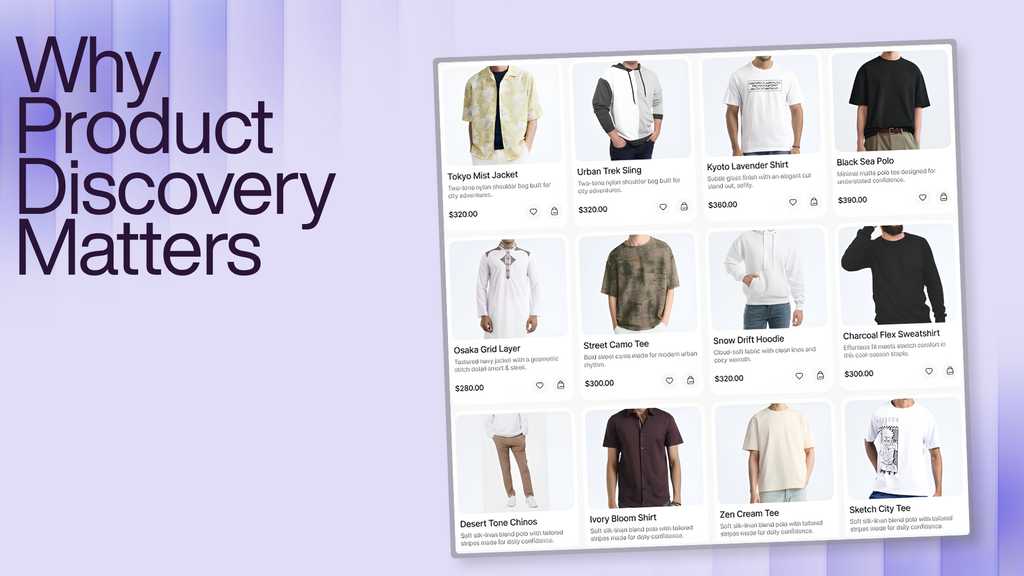
Typing a query is a deliberate act. Nobody searches “waterproof hiking boots size 10” by accident. That intent is exactly why search traffic behaves so differently from everyone else.
The numbers have held up for years:
- Site-search users convert at 2–3x the rate of browsers, and about 43% of visitors go straight for the search box (Forrester Research).
- Searchers are a minority who drive most of the money. Constructor’s Beyond Relevance study, 609 million searches across 113 retail sites in late 2024 found searchers made up roughly a quarter of visitors but drove close to 44% of revenue, adding to cart at a far higher rate than non-searchers.
The exact multiplier moves around by study, industry, and year. The direction never does. Search is the highest-intent traffic you have, and you already paid to bring it in.
So why do so many stores fumble it?
The Baymard Institute has spent years running usability tests across hundreds of leading retailers, and the verdict is unflattering. Its 2026 benchmark found 56% of sites have “mediocre or worse” search UX, with roughly half of shoppers reaching for search as their preferred way to find products.
The failure modes are always the same:
- A typo returns nothing.
- Someone searches “sofa” and gets zero results because the product is tagged “couch.”
- A search for “gift for mom” comes back empty because no product literally contains those three words.
When a search can’t connect a shopper to a product, the shopper doesn’t think “bad search.” They think “they don’t sell it,” and they leave. The product was there the whole time. The search just couldn’t reach it.
What’s a good zero-result rate for a Shopify store?
A healthy zero-result rate is below 5%. Industry benchmarks peg the average at 10–15%, and many stores unknowingly run higher without ever opening the report.
That one metric is the fastest read on your discovery health, because every zero-result search is a shopper who told you exactly what they wanted and got nothing back.
Pull the failed queries on almost any mid-sized store, and most of them turn out to be misspellings and category words nobody tagged. The inventory exists. The search can’t find it.
What “AI Search” Actually Means For A Shopify Store
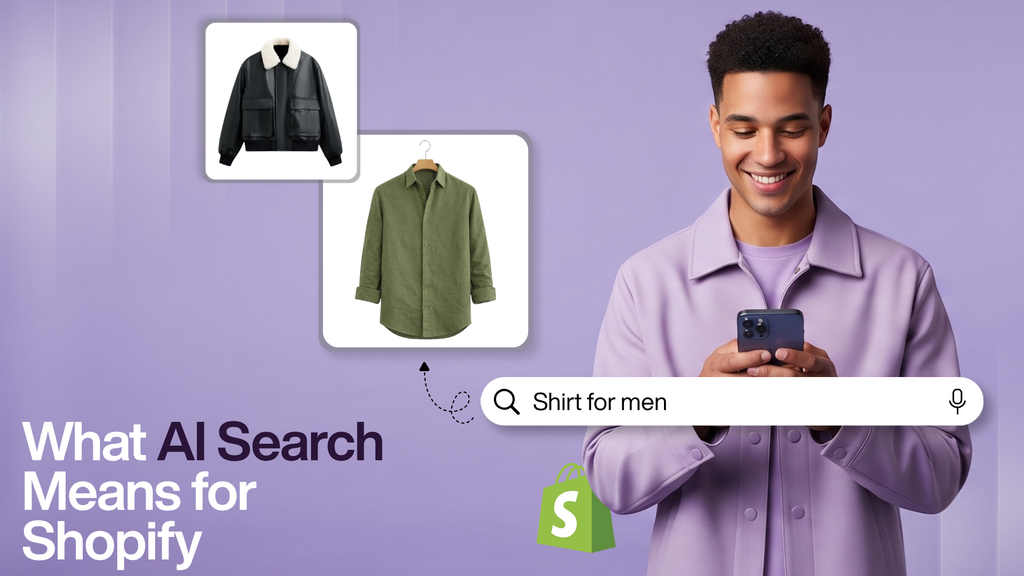
The term gets thrown around loosely, so here’s what’s genuinely different under the hood.
Keyword search matches the literal words a shopper types against the literal words in your titles, tags, and descriptions. Words line up, you get a result. Words don’t have a typo, a synonym, or different phrasing; you get nothing, even when the product is sitting right there.
Semantic search (also called intent-based search) reads what the shopper is trying to find and maps it to products that satisfy that need, even when none of the exact words appear in your data. Search “something for a beach wedding,” and it should surface light dresses and occasion wear, not a blank page, because “beach wedding” isn’t a tag on anything.
A modern AI search layer for Shopify usually bundles:
- Typo tolerance: “neklace” still finds necklaces.
- Synonym understanding: “sofa” and “couch,” “sneakers” and “trainers,” land on the same results.
- Natural-language parsing: pulls implied filters like color, use case, or price out of a conversational query.
- Behavioral learning: results sharpen over time based on what shoppers actually click and buy, not static rules set once and forgotten.
- Graceful no-results handling: offers close alternatives, spelling corrections, or popular items instead of a dead end.
Now the part that catches people off guard: several of these already live inside Shopify’s free Search & Discovery app. It covers semantic search, predictive search, and typo tolerance, plus custom and visual filters and Shopify’s product taxonomy.
A couple of specifics worth knowing, straight from Shopify’s documentation:
- Typo tolerance is on for every online store by default. For words of three to five characters, it allows one typo; for six or more, up to two.
- Semantic search is free but opt-in, and it requires a Shopify plan at the Grow tier or above. It’s not available on the entry-level Basic plan.
If your catalog is small and clean, that native layer may genuinely be enough. Install the app, open the search-terms report under Analytics, and watch what it does before you spend anything.
Dedicated Shopify search plugins keep earning their cost in a narrower set of cases:
- Very large or attribute-heavy catalogs where filters need to auto-generate instead of being hand-built.
- Merchandisers who want granular control over boosting and pinning individual products.
- Deeper per-query analytics revenue and conversion by search term, not just traffic.
- The one most comparisons skip: search behavior that feeds a personalization engine running everywhere else in the store, not just on the results page.
Wiser’s IntelliSearch is built around that last case. What a shopper searches becomes an input into the recommendations they see on the product page, in the cart, and after checkout.
Do You Actually Need A Shopify Search Plugin?
Probably not yet if you’re small with clean data. Probably yes if you’re large, complex, or you want search and personalization talking to each other.
The most common misstep is buying a search app to fix a problem that lives in the product data, then feeling cheated when the shiny new tool serves up the same weak results. A semantic engine still can’t surface a “linen blazer” that nobody described as linen.
Run the five-step framework below before you spend a dollar; it’ll tell you which camp you’re in.
Personalization Is The Other Half, And It’s Usually Under-Built
Search handles the shopper who already knows what to type. Personalization handles everyone else: the browser, the returning customer, the person who lands on a collection page with no query at all.
On Shopify, personalization breaks into a few buckets:
- Behavior-based recommendations, “recently viewed,” or products tied to the current session’s browsing.
- Purchase-history suggestions shaped by what a returning customer, or customers like them, actually bought.
- Collaborative merchandising: frequently bought together and “customers also viewed,” built from aggregate patterns rather than one person’s history.
- Real-time merchandising rules boost a new arrival, hide out-of-stock items, pin a bestseller during a promotion.
The expectation gap here is huge, and well documented. McKinsey’s Next in Personalization research found 71% of consumers expect brands to personalize interactions, and 76% get frustrated when they don’t.
On the upside, McKinsey ties effective personalization to revenue gains of 5–15%, marketing-return improvements of 10–30%, and acquisition-cost reductions of as much as 50%. None of that needs an enterprise budget. Most of it comes down to showing the right product to the right shopper at the right moment, over and over.
Here’s what to burn into memory: search and personalization work best as one connected system, not two separate tools.
A shopper who searches “14K gold necklace” and clicks a specific result just handed you something precise about their taste and budget. That signal should shape what they see next in related-product widgets, in the cart drawer, in the follow-up email.
Split search and recommendations across two apps that don’t share data, and you throw that signal away every single time. It’s the most valuable thing your search bar collects, and most stores let it evaporate.
A Practical Five-Step Framework For Improving Product Discovery
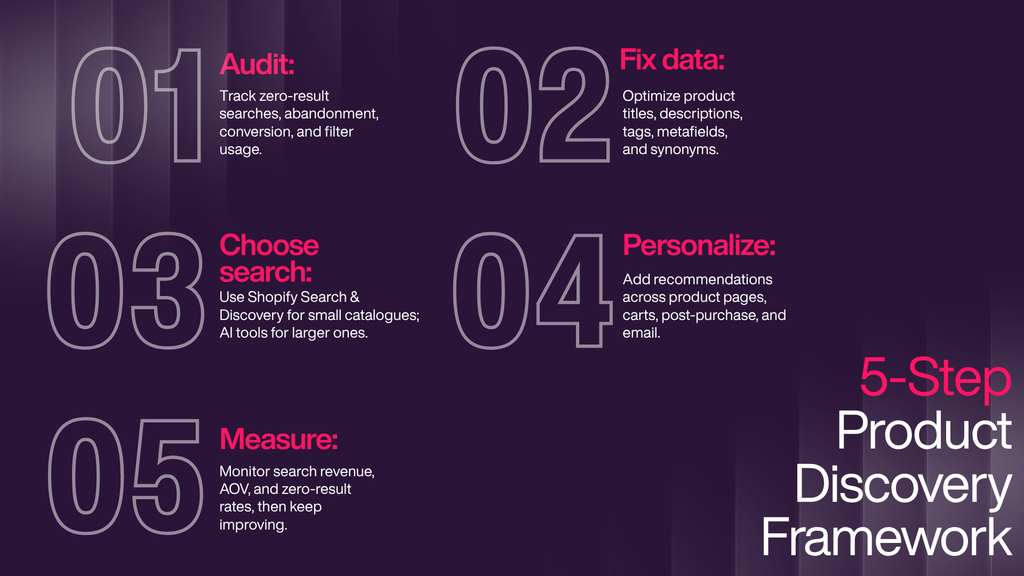
Do these in order. Jumping to Step 3 (buying software) before Steps 1 and 2 is precisely how stores end up paying monthly for a problem they could’ve fixed for free.
Step 1: Audit what’s actually happening today
Before changing anything, read your data. Shopify’s Search & Discovery app plus your analytics platform’s site-search reporting will show you four things:
- Zero-result rate: how often a search returns nothing. Your clearest single warning light.
- Search abandonment rate: searches that return results but get no clicks. That’s a relevance problem, not a coverage problem, and it needs a different fix.
- Search vs. browse conversion: how search users convert against your site average. If search isn’t winning by a wide margin, something upstream is broken.
- Filter usage on collection pages: low usage usually means your filters don’t match how customers think (you sorted by “material”; they think in “style”).
Then pull your top 20–30 failed or low-click search terms. That one list tells you whether the problem is data (products exist but aren’t tagged the way people search) or genuinely missing inventory. Nine times out of ten, it’s data.
Step 2: Fix the data underneath before adding software
AI search is only as smart as the product data it reads. Before you evaluate a single plugin, tighten three things:
- Titles and descriptions written in the words customers search, not internal SKU naming.
- Tags and metafields covering the attributes shoppers filter by material, use case, size, color, occasion.
- A synonym list built straight from your zero-result terms. Shopify lets you create custom synonym groups inside the Search & Discovery app, so start with the failed queries from Step 1.
This step alone often closes a real chunk of the gap, and it makes whatever tool you pick next native or third-party noticeably sharper. Neither keyword nor semantic search can find a product that isn’t described the way customers describe it.
Step 3: Decide between native Search & Discovery and a dedicated plugin
This is a real decision, not a foregone conclusion. Here’s where each option lands:
| Capability | Shopify native Search & Discovery | Dedicated AI search & personalization plugin |
| Semantic / intent-based search | Free in the app; opt-in, requires Grow plan or higher | Included, usually with more tuning control |
| Typo tolerance | Included for every store | Included |
| Filters | Custom and visual, taxonomy-based; filter values stop applying on very large catalogs (~5,000 products), with a 25-filter ceiling | Often auto-built from the full catalog, with deeper attributes |
| Merchandising (boost, pin, synonyms) | Included, manual | Included, often automated or behavioral |
| Search-specific analytics | Included | Often deeper revenue and conversion per query |
| Personalization tied to search behavior | Limited | Core strength: one engine across search, product page, cart, and post-purchase |
| Cost | Free, built into admin | Paid; entry tiers typically ~9–15/month |
Small catalog, clean data, mostly just missing typo tolerance and basic filters? The native app is your answer, and there’s no sense paying for what you already own.
A paid Shopify search plugin earns its cost once you hit a large or attribute-heavy catalog, roughly 500-plus products, and especially past 10,000 when you want search behavior actively shaping recommendations elsewhere, or when you need query-level revenue analytics the native tools don’t surface.
Tools like Wiser’s IntelliSearch are built for that second case: auto-generated filters for big catalogs, plus a shared data layer with the rest of the personalization stack instead of a search box sitting off on its own. For a tool-by-tool breakdown, Wiser’s roundup of the best AI Shopify search and discovery apps sorts them by catalog size and use case.
Step 4: Layer in personalization beyond the homepage
The classic mistake: drop one recommendation widget on the homepage and call personalization done. The real leverage sits further down the funnel:
- Product pages: related items and “you might also like,” informed by browsing and purchase behavior.
- Cart and cart drawer: complementary add-ons shown exactly when the shopper is already committed.
- Post-purchase: recommendations right after checkout, while the buying mindset is still warm and the payment friction is gone. This is the most underused real estate in ecommerce.
- Email: recommendations that reflect what someone actually searched or viewed, not a generic blast.
The order matters less than the wiring. Every one of these should pull from the same behavioral data, so a signal captured at search survives all the way to checkout instead of dying on the product page.
Step 5: Measure, then iterate
Set a monthly review against your Step 1 metrics, plus three more:
- Revenue from search and from recommendations, tracked separately.
- AOV for sessions that used search or clicked a recommendation versus sessions that didn’t.
- Zero-result rate trending down as you add synonyms and fix tags.
Both search and personalization compound. A synonym or merchandising rule you set this month keeps working every month after, which is why this beats paid acquisition over the long run. Build it once; it keeps paying.
What To Look For In A Shopify Search Plugin
If Step 3 points you toward a paid tool, run this checklist:
- True semantic understanding, not fuzzy keyword matching. Test it live with “gift for a coffee lover” and judge the results yourself.
- Typo and synonym handling that doesn’t need manual setup for every misspelling.
- Filters that build themselves from your catalog, especially for a large or fast-growing range.
- Search-level analytics: top queries, zero-result terms, revenue per search, not just page views.
- A connection to personalization, so search behavior informs recommendations instead of sitting in a silo.
- No-code setup through theme blocks, so you’re not waiting on a developer.
- Transparent, usage-based pricing with a free trial, so you can validate impact on your own traffic before committing.
What This Looks Like In Practice
Concrete numbers help, so here are Wiser’s published ones. Across its merchant base, Wiser reports more than $737 million in additional revenue generated for over 5,000 Shopify stores.
Two named case studies show the mechanic clearly:
- Wooden Ships, a women’s knitwear brand, credits Wiser with more than $48,500 in attributed sales, roughly $37,600 from product-page recommendations and about $10,400 from post-purchase upsells.
- Perfumania, America’s largest fragrance retailer, credits Wiser recommendations with a 21% increase in conversions.
Your numbers will differ, and none of these are a guarantee. But the pattern is the point: when results match intent and recommendations follow that intent through the funnel, a real slice of existing traffic converts and spends more without buying a single extra visitor.
That’s the whole argument for treating search and personalization as one connected system rather than two disconnected apps.
Where Product Discovery Is Heading: AI Shopping Agents
Keep one development on your radar.
At the National Retail Federation (NRF) conference in January 2026, Google and Shopify announced the Universal Commerce Protocol (UCP), an open standard co-developed with retailers including Etsy, Wayfair, Target, and Walmart, and endorsed by more than 20 partners.
UCP lets AI agents in tools like Gemini and Google’s AI Mode discover, compare, and check out products directly from participating stores. It’s early days, but the direction is unmistakable.
Why it matters for everything above: the same clean, structured, attribute-rich product data that makes your on-site search work for humans is exactly what makes your catalog readable to AI shopping agents.
Invest in product-data quality and real semantic search now, and you’re not just fixing today’s search bar; you’re laying the foundation both humans and machines will use to find you.
Turn Your Search Bar Into A Discovery Engine
Better product discovery isn’t about bolting on one more widget. It’s about connecting what shoppers search to what you show them next, everywhere in the store.
That’s what Wiser is built to do: AI-powered search through IntelliSearch, plus personalized recommendations across the product page, cart, checkout, post-purchase, and email, all from one dashboard and one shared data layer.
Start on the free plan, see the impact on your own traffic first, and turn the visitors you already have into revenue.
Frequently Asked Questions
Is Shopify’s built-in search good enough, or do I need a plugin?
It depends on your catalog. Shopify’s native Search & Discovery app includes typo tolerance for every store and free semantic search on the Grow plan or higher, which is genuinely enough for many smaller, simpler catalogs. Larger or attribute-heavy catalogs and stores that want search behavior to inform personalization elsewhere usually get more from a dedicated Shopify search plugin.
What’s the difference between AI search and personalization?
Search responds to a typed query. Personalization shapes what a shopper sees based on who they are, their browsing and purchase history, and real-time behavior, often before they type anything. The two are strongest combined, because search behavior is one of the best personalization signals a store has.
How much does a Shopify search plugin cost?
From free (Shopify’s native app) to entry tiers of roughly 9–15 per month for dedicated apps, generally scaling with traffic or catalog size. Enterprise platforms run higher. Always check the current pricing page directly, since it changes often.
How long does it take to set up AI search on a Shopify store?
Most modern plugins install through theme blocks rather than custom development, so a live, configured setup is usually a matter of hours, not weeks. Tuning filters, synonyms, and merchandising for a large catalog is ongoing rather than one-and-done.
Does a small Shopify store need AI search?
Even small catalogs benefit from typo tolerance and better relevance, since one bad search can lose a sale at any size. That said, the case for a paid plugin strengthens as catalog size and search traffic grow.
What metrics show whether product discovery is actually working?
Track zero-result rate (keep it below 5%), search abandonment rate, search-to-purchase conversion versus your site average, and the share of revenue from search and from recommendations. Trend them monthly to see whether your changes are moving the numbers.
Does improving on-site search help my Google rankings?
Not directly. Shopify’s internal search results pages aren’t built to rank, so a search plugin won’t lift organic rankings on its own. What it influences is what happens after a shopper lands: engagement, bounce rate, and conversion.
Can I use a dedicated search app alongside Shopify’s native Search & Discovery app?
Most dedicated search plugins replace the native search and filter interface rather than running in parallel, since both would fight over the same search box and filters. Personalization and recommendation apps, by contrast, usually run independently and layer on top of whatever search you use.
