

Contents
A whopping 77% of consumers have chosen, recommended, or paid more for a brand that provides personalised recommendations on Shopify for best experience. Personalised product recommendations on Shopify allow you to show products that the customer is likely to shop. With such a customized shopping experience, you can better convert shoppers and bring in more purchases.
Displaying personalised recommendations on Shopify should be a priority when setting up your online store. Apps like Wiser simplify your task, allowing you to choose the kind of recommendation you want to display and place them in different parts of your store.
How do you ensure your widgets from the Shopify AI recommendation engine are visible enough to get shoppers to check them out?
With this blog, we’ll explore various kinds of widgets for personalised recommendations on Shopify that you can add to your store and the best practices for setting them up, including where to place them.
Let’s dive straight into the best practices for personalised recommendations on Shopify stores.
Best Practices of Personalised Recommendations On Shopify For Increased Conversions
1. Inspired By Your Browsing History
‘Inspired By Your Browsing History’ is a widget that allows you to display products from collections and categories that the shopper previously visited. You can tap into the shopper’s interest to nudge a purchase.
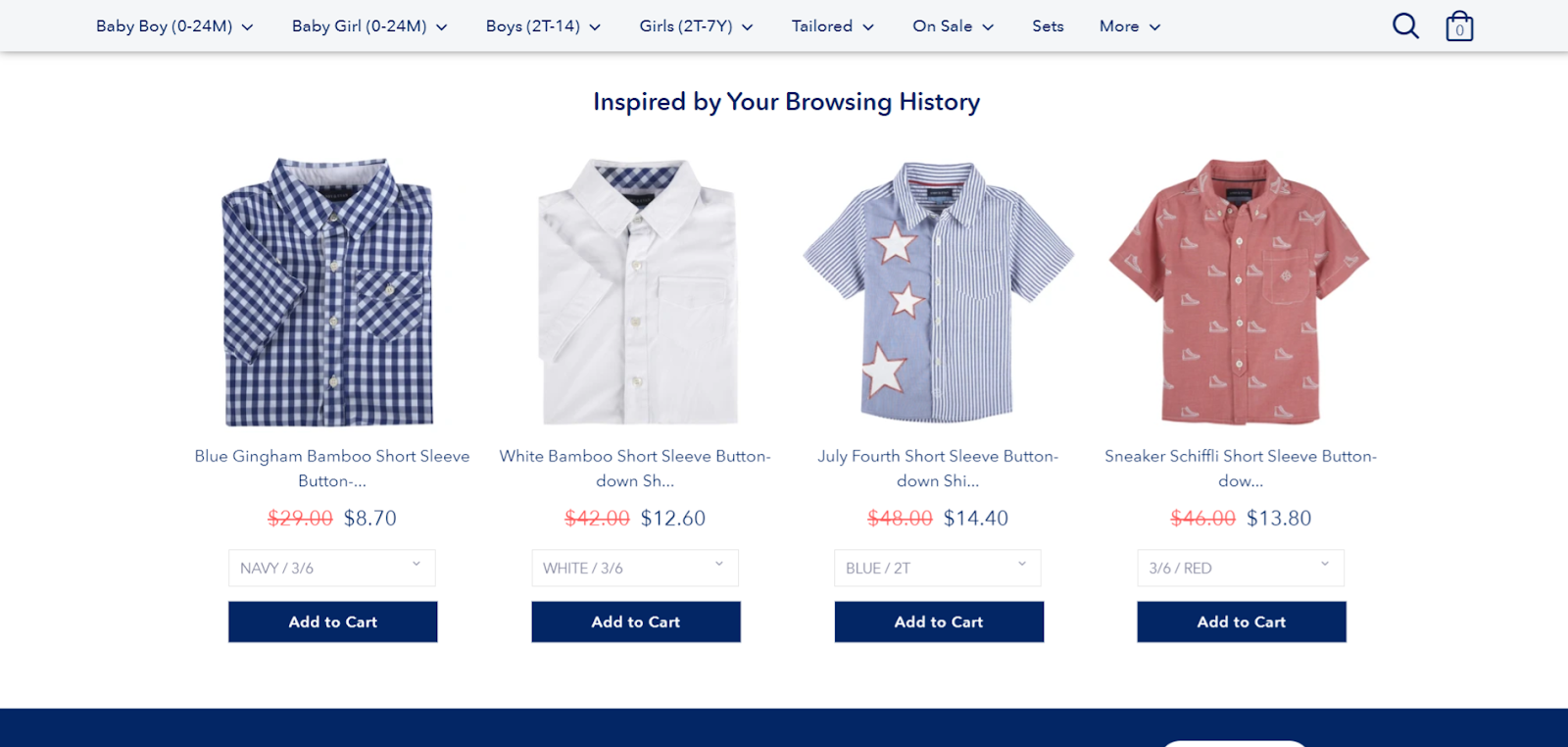
Placement: You can display these personalised recommendations on Shopify cart page to increase AOV and on the thank you page to encourage repeat purchase.
You can also add these to your transactional emails about order confirmation or order fulfillment. Wiser integrates with top email marketing apps like Klaviyo to make it easier to display recommendations on transactional emails.
Why it works: This widget of personalised recommendations on Shopify is similar to what you would see on Amazon. Since it is highly personalized to the shopper’s past browsing behavior, you would have a higher chance of nudging more orders from them.
If there’s just one personalized recommendation you are adding to your Shopify store, this widget should be your first choice since it is sure to bring in revenue.
Setting up personalised product recommendations on Shopify to increase revenue? Install Wiser to display AI-powered product recommendations that cater to each shopper.
2. Frequently Bought Together
‘Frequently Bought Together’ widgets of personalised recommendations on Shopify show bundle offers to shoppers, nudging them to checkout with a higher cart value. For instance, it would recommend a pair of pants on a product page.
Placement: Place the widget ‘Frequently Bought Together’ personalised recommendations on Shopify over specific products that have this bundle offer available. You can also show Frequently bought together Shopify widget on the cart page when a shopper has added a product that matches the criteria.
Why it works: Bundles are a common and effective sales tactic. By bundling products, merchants can convince shoppers to grab the exciting deal that they would be getting. The shopper will then successfully buy both products instead of just the one they were planning to.
Also read: Strategies to Upsell and Cross-Sell Like Amazon With Personalized Product Recommendations
3. Related Products
Ensure your shoppers don’t drop off at the end of the product page with a ‘Related Products’ widget. These widgets are Shopify personalisation tools that allow you to show similar products on your Shopify store, based on what the shopper is looking at.
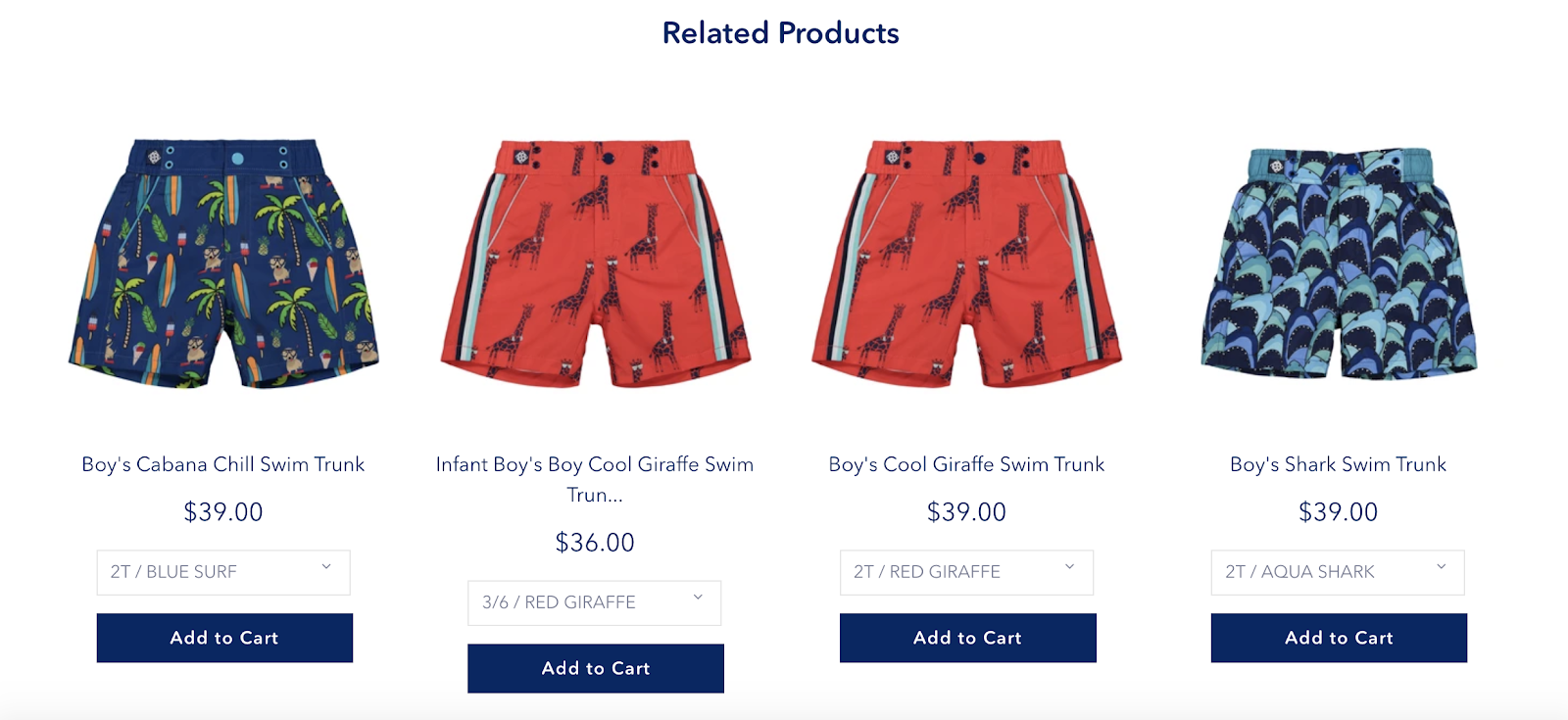
Placement: These widgets of personalised recommendations on Shopify are best placed on the product pages where the shopper can continue looking at product recommendations if they don’t plan to checkout the product they were originally looking at.
Learn, How to add a Section of Related Products on Shopify Stores to not miss out on potential sales.
Why it works: Many shoppers start browsing only to get to the end of a product page and drop off. By adding the ‘Related Products’ widgets of personalised recommendations on Shopify, shoppers will continue looking at other products. This allows you to keep engaging shoppers and capture them as paying customers.
Ensure fewer drop-offs by displaying personalized product recommendations on your store. Install Wiser to get started.
4. Trending Products
You are sure to see some products sell faster on your store as compared to the rest. Why not hype this popularity with a ‘Trending Products’ widget. Use this widget to display products that are trending on your store.
Placement: Place this widget on your storefront to let new store visitors know about your products and their popularity.
Why it works: FOMO is a powerful sales tactic. By informing shoppers that select items on your store are selling off the shelves, you can make them eager to own these items too. The Trending Products widget shows your product’s popularity, hyping it to shoppers, and increasing sales.
5. Recently Viewed Products
Make products that the shopper last viewed more accessible with the ‘Recently Viewed Products’ widget. The widget allows you to show products that the shopper last looked at, simplifying product recall.
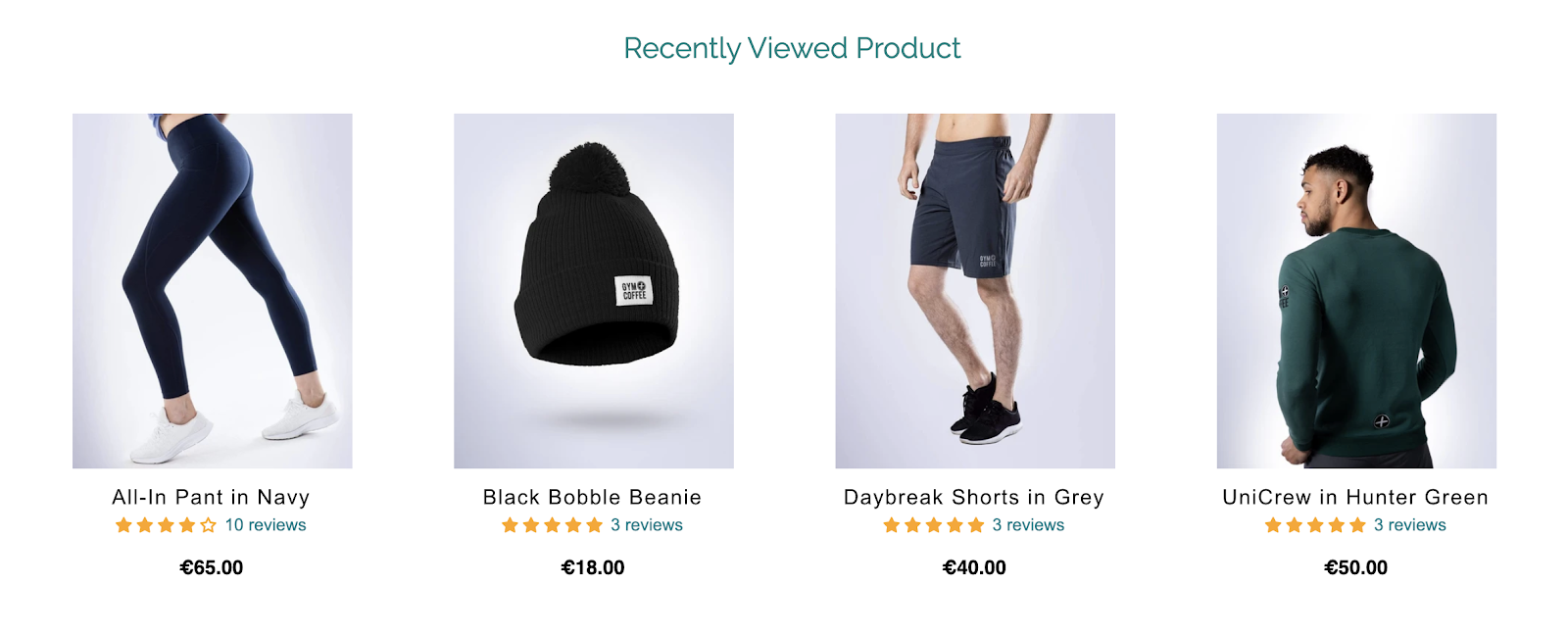
Placement: This widget works on every part of your store! You can test different locations and see where it fits best. However, to start, we suggest displaying this widget on the thank you page to get shoppers to place a second order.
Or, you can add it to your product pages to allow shoppers to come back to other products that they showed interest in. This recommendation widget also works well as a pop-up. You can use it to remind shoppers to buy products they had their eye on before they exit your store.
Perfumania smartly increased its AOV by 578% by placing a ‘Recently Viewed Products’ widget on its cart page.
Why it works: Have you ever wanted to revisit or buy a product you previously viewed but couldn’t find it? This is the case for many shoppers. With this nifty widget, your shoppers will be able to retrieve products they last looked at and shop with you quickly.
6. Featured Products
Do you have any unique products in your store that you’d like to highlight to shoppers? The ‘Featured Products’ widget is a recommendation widget with products that you want your shoppers to notice more. You can use this widget to add products that aren’t selling well enough, products on discount, or special products that you are known for.
Placement: Display the ‘Featured Products’ widget on your storefront to increase visibility.
Why it works: Shoppers will show immediate attention when they see that a certain set of products are ‘featured’ on your Shopify store. This widget will help you build hype for your products.
7. Recommended Products (Manual)
If you have specific recommendations to display to shoppers based on certain products, you can manually build a personalized product recommendation widget. The manual recommendation widget can be put together for specific product pages using custom recommendations as per your preferences.
Placement: Display the Manual ‘Recommended Products’ widget on your product pages.
Why it works: You may have a few limited edition products that you’d like your shoppers to notice. Or, you may find that you want to show products based on their collection so that shoppers can shop a certain look. Using this widget, you can put together recommendations from scratch.
Want to create customized recommendations based on your sales strategy? Check how to choose product recommendations strategy for your Shopify Stores.
8. New Arrivals
‘New Arrivals’ widget displays the newest products on your Shopify store. With this widget, you can inform shoppers about products that you just released on your store. The widget will help you to boost sales for new products even during their first week of launch.
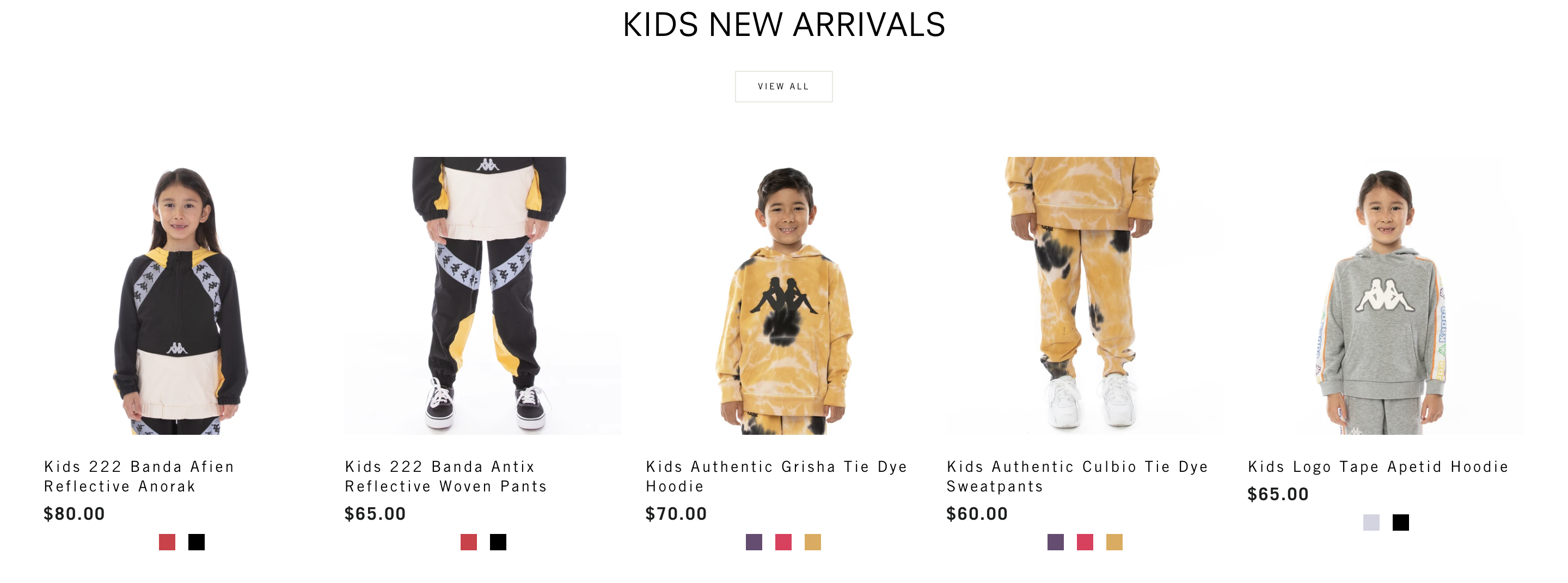
Placement: You can display the ‘New Arrivals’ widget on your storefront. You can also add this to your welcome emails so that new subscribers can get a glimpse of what’s new on your store.
Buddy Love, a fashion brand, saw a 63% increase in total revenue by placing a ‘New Arrivals’ widget on their storefront.
Why it works: Shoppers love to explore and shop new products. The exclusivity of a newly released product will make shoppers more likely to browse these products and even buy them.
9. Top-Selling Products
Do you have products that are selling well on your store? You can amplify their popularity by placing a ‘Top-Selling Products’ widget on your store. With this widget, you can inform new visitors about products they are sure to love.
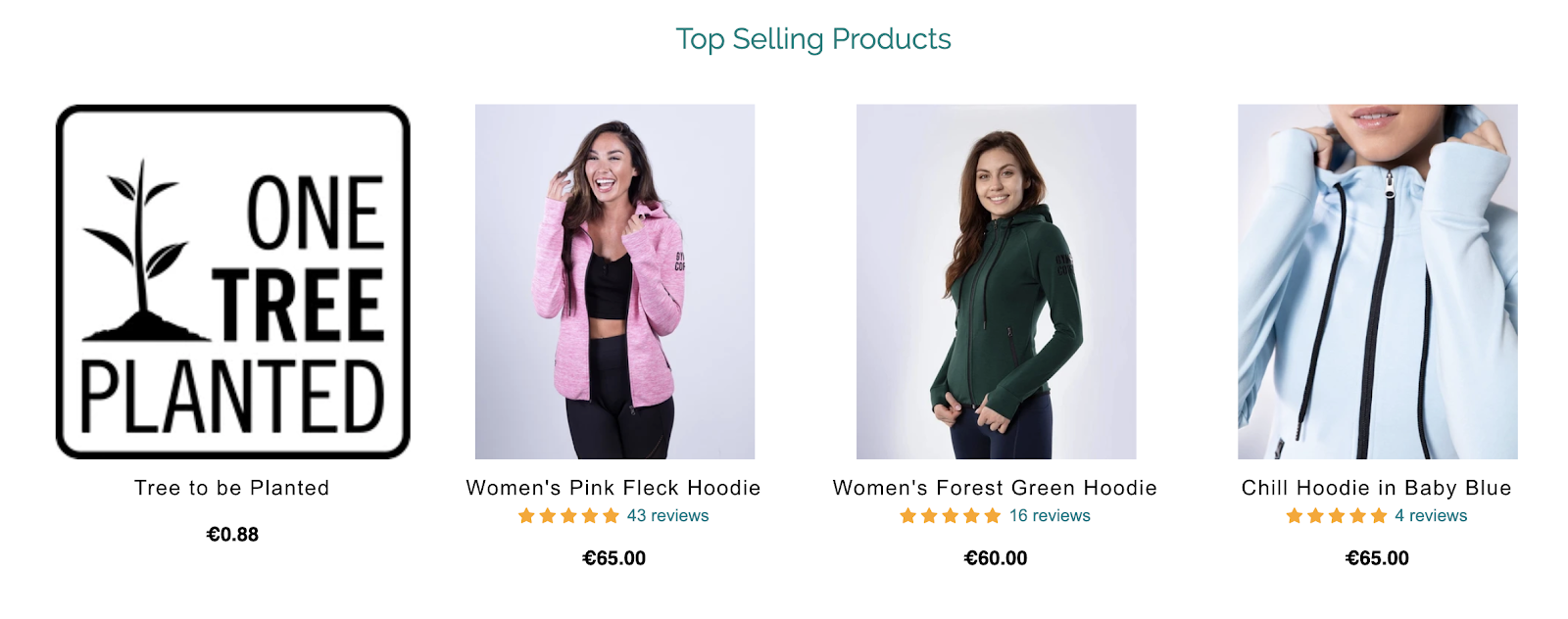
Placement: Display the ‘Top-Selling Products’ widget on your storefront or on the collections page.
Why it works: Who doesn’t like to stay on trend? The ‘Top-Selling Products’ widget makes it easier for your shoppers to learn what’s best on your Shopify store. Instead of having to search your store, they will instantly be led to products that your store is known for.
Little Known but High-Converting Hacks for Product Recommendations
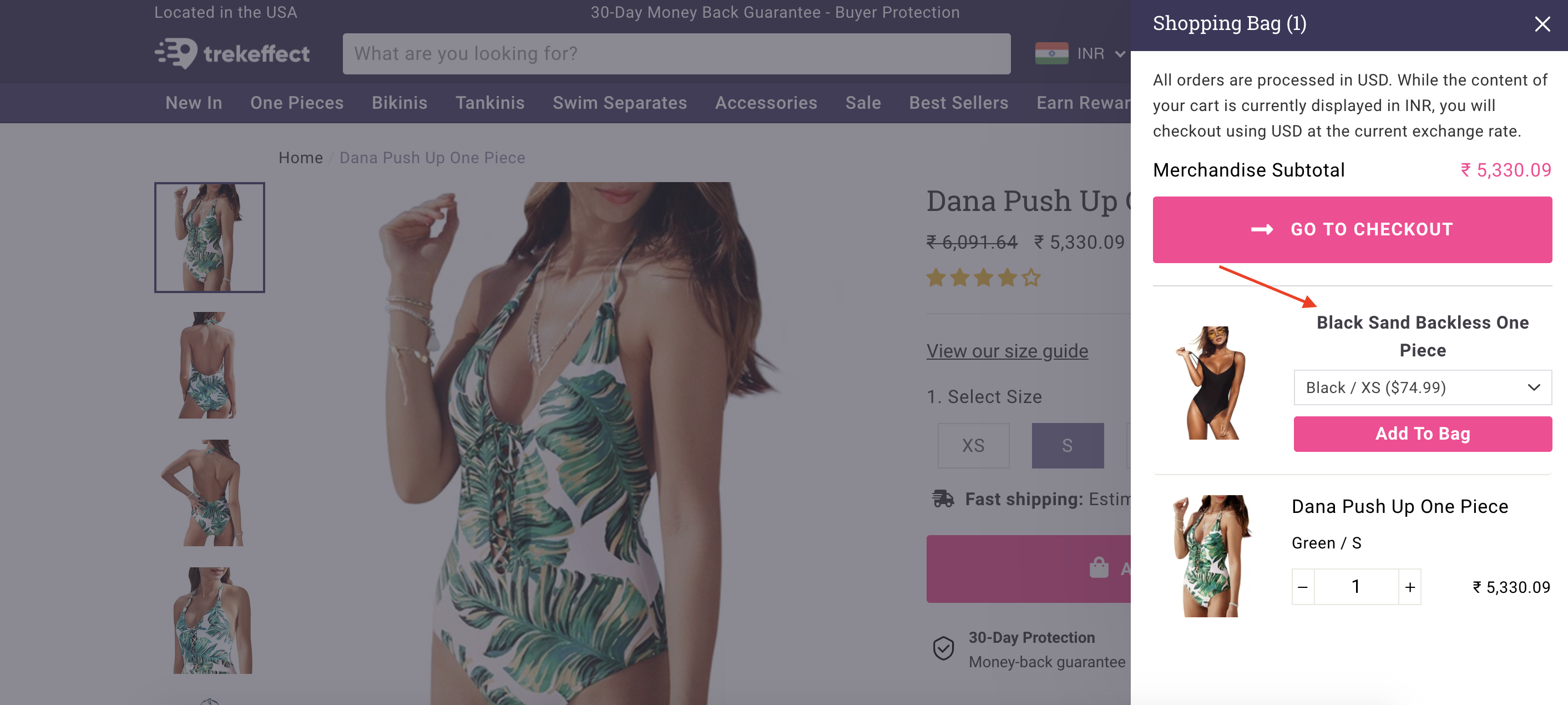
1. Show recommendations even within cart drawers
Even Shopify stores using cart drawers can display personalized recommendations. Wiser integrates with Slide Cart so that stores using the cart drawer can still cross-sell and recommend products to shoppers and increase AOV.
You might like to know How Shopify Cart drawer Upsell and Checkout Upsell Boosts AOV by 25%.
2. Display reviews and ratings in recommendations
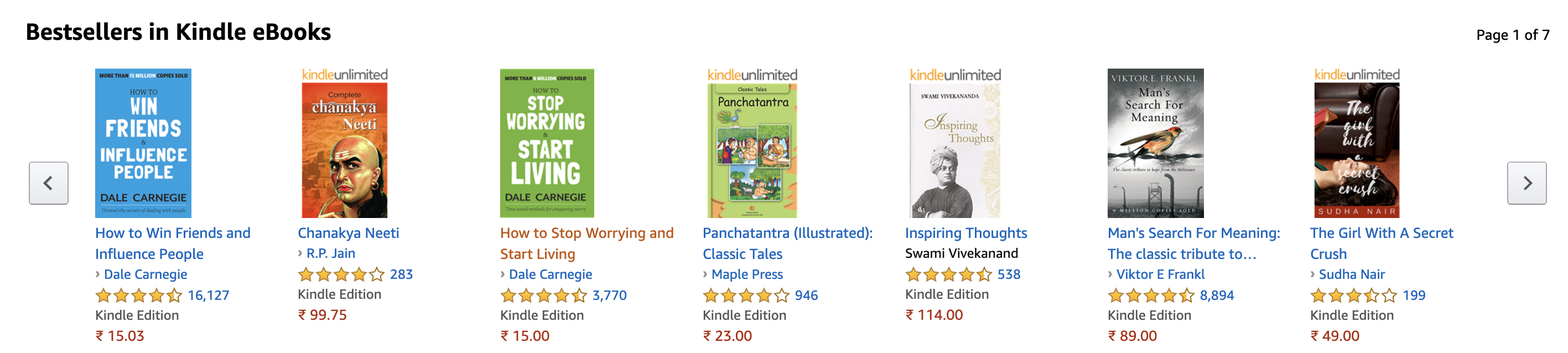
Shoppers are more likely to trust a store that displays how their products are rated. With ratings, shoppers will have a transparent look at how the products are received by customers and whether it is worth a purchase.
You can easily display ratings of your products within your recommendation widgets. Wiser integrates with review apps like Judge.me. With such an integration, you can add more credibility to your recommendations and increase your chances of converting shoppers.
3. Add 2 to 3 widgets (like Amazon) on your storefront to understand their performance
Amazon displays multiple recommendation widgets on its storefront. This way, the eCommerce giant has multiple chances to convert its shoppers right on their storefront. This way, they have lower drop-offs.
We recommend that you follow this strategy by Amazon. You can do this by setting up 2 to 3 widgets on your storefront, understanding how they perform, and testing out different ones to find widgets that perform best.
Wiser allows you to set up multiple product recommendation widgets on your Shopify storefront and enables you with analytics.
Also read: How to upsell and cross-sell like Amazon with product recommendations
4. Use AI-powered recommendation widgets for accurate recommendations
Displaying product recommendations without personalization won’t yield the kind of powerful results it usually does. You need to install an AI-powered recommendation app or Shopify personalisation tools that will automatically detect each shopper’s preferences and display recommendations accordingly.
Wiser is built with AI to ensure that recommendations are personalized to each shopper based on their behavior on your Shopify store. Based on this you might be interested in understanding how AI Recommendations on Shopify are Shaping Holiday Shopping trends.
5. Make your exit-intent pop-ups more effective with recommendations (NEW)
When shoppers are about to leave a Shopify store, they are usually shown a discount or a message nudging them to continue browsing. This strategy isn’t as powerful as showing the products shoppers could own.
This is why you need to set up your exit-intent pop-ups with personalised recommendations on Shopify. WISER smart popups helps you display the shopper’s browsing history, nudging them to buy these items or even show trending products with a copy that lets them know they might miss the item if they leave now.
Such a well-timed recommendation pop-up is sure to catch your shopper’s attention and get them to stay. You can set up pop-up product recommendations using Wiser and checkout, 7 proven Upsell Strategies Powered by Shopify Personalization tools.
Increase Conversions with Shopify Personalisation Tools & Product Recommendations
We hope this extensive guide helps you understand how to use personalised recommendations on Shopify and where to place them on your store.
Once you’ve placed your widgets, monitor their performance, the clicks each recommendation widget gets, and the number of conversions. You can use this data to optimize the widgets on your Shopify store and maximize your conversions.
Personalised recommendations on Shopify stores are a powerful way to nudge shoppers to make purchases. These smartly placed recommendations are built with AI to ensure that shoppers are shown relevant recommendations that they are sure to be interested in.
Install now or book a WISER demo to get started with personalized product recommendations on Shopify and increase your conversions.

Comments are closed.